
How to Place an Order for a Coffee Mug?
If you're looking to create and order custom coffee mugs, this guide will walk you through the process step by step, from design requirements to final order placement.
Design Guidelines for Coffee Mugs
Before placing your order, make sure your design meets the following specifications to ensure the best print quality:
- Print Placement: Around the mug
- Design File Size: Changes relative to the type of mug
- File Format: PNG or JPEG
- Resolution: 300 DPI.
Placing an Order
- 1Log in to your Merchant Dashboard.
- 2Go to Orders > Create Order.
- 3Select Accessories > Drinkware (Choose your preferred mug from the dropdown list).
- 4Click "Add Design", upload your design file, and place it on the product as desired. You can view both the front and back of the mug while placing your design to ensure proper alignment.
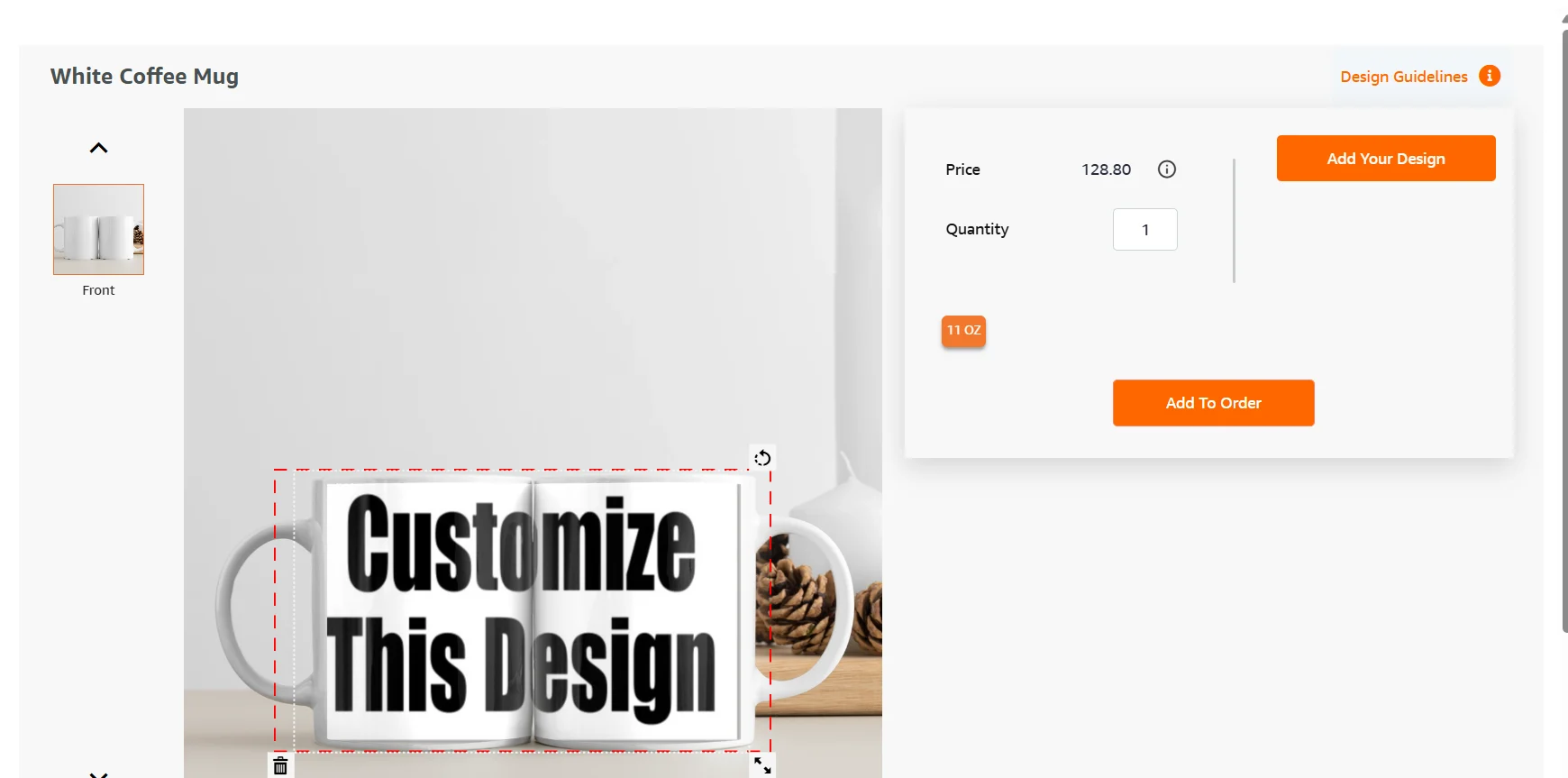
- 1Enter your quantity and click "Add to Order".
- 2Once you enter all the order details, click "Save Order".
Note
You can download the official PSD design template from the Design Guidelines section on the Qikink website for each product. This template helps you position your artwork accurately and ensures a perfect fit during printing.
Frequently Asked Questions
Simple, high contrast designs with clear text and graphics usually produce the best results on mugs. Avoid very small details that may not be clearly visible after printing.
Yes. You can print photos, logos, illustrations, or text based designs on coffee mugs as long as the design file meets the recommended quality standards.
If the file size or resolution is incorrect, the print quality may not be optimal. It is recommended to use the official template to ensure proper alignment.
Yes. You can place bulk orders by increasing the quantity while creating the order in your dashboard.
Yes. Custom mugs can be sold through your store just like other products by placing orders through your merchant dashboard or store integration.