


Print on Demand for WooCommerce has become one of the most reliable ways to launch an online merchandise brand without holding inventory, investing in manufacturing, or managing logistics.
With the growth of micro-brands, creators’ merchandise, the custom apparel trend, and niche-based eCommerce stores, the WooCommerce platform continues to shine as the most customizable and affordable store among other stores for building your Print on Demand (POD) business.
With WooCommerce and print on demand as a business model, you can sell custom printed products like t-shirts, hoodies, coffee mugs, phone cases and a lot more with a WordPress site and a perfect print on demand partner, who helps you print your order and ship them after order confirmation.
This lets you focus on designs, marketing and customer experience, while your POD partner handles production, packing and shipping. From choosing the right print on demand WordPress theme, plugins, integrations, and fulfilment partner, to setting up your WooCommerce store, this guide explains how to grow your custom product-selling business with WooCommerce.
Key Takeaways:
- Print on Demand for WooCommerce allows you to sell custom products without thinking about stock, production or delivery hassles.
- WooCommerce remains the most flexible and cost-effective platform for print on demand because of its diversified tools like themes, plugins, and integrations.
- WooCommerce Print on Demand integrations help you easily connect with your fulfilment partner, syncing orders, tracking, and customer updates.
- The best print on demand WooCommerce business’s success depends on quality designs, fulfilment partners, pricing, branding, and order management.
What is Print on Demand for WooCommerce?

Print on Demand (POD) for WooCommerce is a business model where you sell custom-designed products through your WordPress website, and your print on demand fulfilment partner prints and ships the product after a customer places an order. This process removes the need for maintaining stock, buying machines or other operations.
WooCommerce is a platform belonging to the WordPress site, where it performs eCommerce operations. It helps you list products, collect payments, manage orders, apply taxes, offer coupons, and build a fully functional online store, even without the knowledge of a programming language.
When a print on demand site is connected to your WooCommerce store, your customized products selling business becomes completely automated. This combination allows you to control the store, custom branding, product pages, customer experience, and marketing, while your print on demand partner manages production and logistics operations.
Why Choose WooCommerce for Print on Demand?
WooCommerce dominates as the top choice for print on demand stores because it generates about 28-33% of all global online shops in 2025, with over 6 million live sites running strong. This massive ecosystem means endless themes, plugins and tools tailored for print on demand sellers, with no to less platform fees.
Without any subscription, you own your domain, customer data and emails fully, and you can build a real brand instead of renting a marketplace. For entrepreneurs or creators, especially for Indian creators, this platform helps in INR pricing, GST auto-calculation and Razorpay checkouts without extra hurdles.
Trends like AI mockups and live previews boost conversions on WooCommerce, and it thrives here as a mobile-first theme-based platform, handling India’s internet and phone traffic, with plugins, integrations, automating and syncing orders to local printers within hours.
How Print on Demand Works in WooCommerce

Print on Demand in WooCommerce follows a simple but highly efficient automated workflow. Every part of the process is handled by your website, your POD provider, and the integration that connects both systems. Let’s discuss some basic workflow involved in how print on demand works in WooCommerce.
Create Your Designs
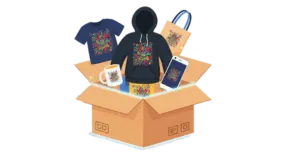
There are many product categories, from which you can choose your type of product and start by creating designs matching the products. There are various types of products to choose from for your print on demand business in WooCommerce. Some example products are,
And so many products are available, where you can place and sell your designs. These designs can be niche-focused, seasonal, trend-based, or personalised artworks, with which you can test and begin your store, later on analysing the most sold design and scaling your business.
Add Designs to Your WooCommerce Products
Once you complete your design, upload your designs to a print on demand plugin or directly into your fulfilment partner’s dashboard. From there, you apply, adjust or edit the design to blank products from any categories like apparel or accessories. After preparing the designs and product mockups, you can publish the product to your WooCommerce store.
Customer Places an Order
When a customer visits your WordPress store and buys one of your products, WooCommerce automatically collects the payment, applies taxes, records the order, and sends confirmation emails to your POD partner, who receives the order details instantly through integrations of your WooCommerce platform.
Printing, Packaging and Shipping
After receiving the order, your fulfilment partner starts to print your artwork from the method we select from the various printing types like DTG, sublimation, DTF, or embroidery, depending on the product and design.
Once printing is done, the POD partner packs the product and ships it directly to the customer. Shipping labels, tracking numbers, courier selection and other operations will be handled by your partner.
Most providers update email or SMS tracking and shipping details automatically in WooCommerce after integrating your store with the print on demand platform.
Profit and Marketing
Once a sale is completed, you can pay your POD fulfilment cost, and the remaining amount from your fee payment, decreased from the selling price, will be your profit margin of the product.
Since there is no pre-order inventory, the business stays low-risk and budget-friendly. The only things you have to focus on will be designing and marketing.
Try email marketing, social media ads, research for SEO keywords for product titles and descriptions and make sure your product appears in the top search ranking, because even a famous product needs its own marketing to achieve the targeted numbers.
WooCommerce handles the store and payment processes, while your print on demand partner handles major operations like production and shipping. This is what makes Print on Demand in WooCommerce one of the smoothest and fastest online business models to start today.
Set Up Your WooCommerce for Print on Demand

Setting up print on demand for WooCommerce takes about a few hours for beginners, starting from a blank WordPress site. You’ll need a domain, a host site and partnering with a print on demand platform.
It is an easy process to set up your WooCommerce store for POD. Let’s delve into the topic and understand each step involved in this process as follows:
Step 1: Buy Domain, Hosting and SSL

- Decide on a short domain name for your store that matches your brand identity and niche. A domain for your store is the address of your business, so choose your name and buy a domain for an affordable price.
- Hosting is where your site files are stored, so pick a site, which allows one-click install to WordPress with Indian servers for quick internet access.
- Enabling an SSL certificate, where your payments will happen safely, helps you in SEO and builds trust.
Step 2: Install WordPress

- WordPress is free software that enhances your site.
- In your hosting panel, find “WordPress Installer” and install it.
- Enter your site name, your email, and set the time zone to “Asia/Kolkata.”
Step 3: Select a Print on Demand WordPress Theme
- Your WordPress theme plays a major role in product discovery, mobile shopping experience, and conversions, especially for print on demand stores where customers rely heavily on visuals, mockups, and product variations.
- Themes control your WooCommerce store site’s look. Navigate to Appearance and Themes, where you can find WooCommerce themes.
- From the starter templates available, pick your most suitable genre of themes and install a theme from the list to activate it on your store.
- Customise and update your logo, change store colours to match your brand, add footer text and ensure the preview in mobile view too and fix everything properly.
- Some best themes like Storefront, Astra, and Botiga can give a professional and visually appealing look for your eCommerce store.
How to Choose Your Print on Demand WordPress Theme?

Instead of picking themes based on appearance alone, focus on features that support POD performance and design-focused browsing. Below are some tips to pick the best WooCommerce store theme:
- Choose a theme that loads fast, supports clean product layouts, and keeps the add-to-cart button visible without scrolling too much.
- Supporting colour variations, mainly the size of buttons and icons, should also be noted.
- Print on Demand products need a clear, detailed view because of the designs, and those short descriptions of the products need to be reviewed.
- Should be a clear, smooth theme that helps with fast loading and SEO, and can handle Google Optimisation.
- Easy to customise and brand with stylish buttons, page design and typography options.
- Make sure the theme works smoothly with the integrations, plugins and mockups that are added to the store later.
Avoid bulky themes with sliders, animations, and heavy scripts, as they slow down checkout and reduce conversions for eCommerce stores. Choose simple, clean and professional layouts that highlight your product designs and increase your brand value.
Step 4: Pick a Print on Demand WordPress Plugin
- Plugins add functionalities to your WooCommerce store, automating design uploads, improving product pages, boosting conversions, and helping you manage operations smoothly.
- Some of the best plugins to note down for installing later for your WooCommerce store are Yoast SEO, LiteSpeed Cache and Wordfence Security.
- Don’t add more plugins for your store, and try to maintain the state in good health with the necessary plugins for Print on Demand WooCommerce.
How to Choose Your Print on Demand WordPress Plugin?

Rather installing too many plugins, focus only on essential ones that support print on demand workflows. Some best WooCommerce plugin types to consider are,
- An Image Compression Plugin compresses files automatically without reducing quality, making the store faster on both mobile and desktop.
- The Variation Swatches Plugin helps in converting default dropdowns into clickable buttons for colour, size and product styles, to improve user experience.
- An Abandoned Cart Recovery Plugin sends automatic email or WhatsApp reminders, which helps boost your overall revenue without extra marketing.
- A review plugin helps display customer photos, ratings and testimonials for POD products and develops trust and encourages more first-time visitors to buy.
- Quick view helps them see product details without leaving the current page, and gives an option to the customers to save the item in the wishlist.
- An SEO plugin guides you to rank your custom products on Google, with structured data, keyword usage and metadata suggestions. This ensures better visibility for product pages and helps attract organic buyers.
There are a lot of plugins available under these types, but choosing the best plugin from WordPress that suits your print on demand business, integrating with a WooCommerce store, will be the key to your success.
Qikink, as a WooCommerce plugin, gives you an extra cushion in automation and syncing orders from one store to another. You can also join Qikink and later integrate the dashboard with the WooCommerce platform and enjoy the excellent benefits provided by the site.

Step 5: WooCommerce Print on Demand Integration

After following all the necessary steps and tips, choosing the best print on demand WooCommerce store integration plugin will come as the ultimate decision in your eCommerce business.
In India, the most suitable print on demand fulfillment partner, Qikink, is available for every Indian entrepreneur or creator to fulfil their eCommerce business ideas. You can sign up for free at Qikink, verify your email, and land after installation and activate the ‘Qikink WooCommerce’ plugin on the WordPress site.
Step 6: Add Products and Designs

- In WooCommerce, go to Products, or POD plugin dashboard, click “Import Products” and select your product category.
- Create a better print on demand design, which should follow the rules like 4500×5400 pixels, PNG and transparent background. Save the design and upload it to the product.
- Set your selling price after adding the profit margins, add sizes and size charts, with different colours and add product title and descriptions with SEO related keywords.
Step 7: Activate and Launch Your Store

- WooCommerce is a free plugin that adds “Buy Now” buttons in the store. Go to your dashboard and search “WooCommerce,” install it and click “Activate.”
- Pick “India” location, INR currency (₹), and turn on taxes (for GST). Also, enter your business address if available.
- The store auto-creates pages like Shop, Cart, and Checkout. Configure payment and shipping settings with location as India and test with sample orders.
- Check emails for order confirmation and receipt, then cancel the order if everything is good.
- Share your store link on your social media and get feedback from your friends. You can also add Google Analytics as a plugin to the store and launch your store.
Remember to have store policies, always analyse the sales record of every product category and have a backup setup for making major changes to your site. By following these steps, you can easily set up the best print on demand WooCommerce store and run a profitable business in the Indian eCommerce market.
Qikink and WooCommerce Print on Demand Integration
As discussed about the add-ons provided by the WooCommerce platform, the integration option is also the backbone of a successful print on demand WooCommerce store.
They connect your WordPress website with your fulfilment partner, automate order flow, sync products, update tracking, and reduce all manual work in your business.
With the right integration, your POD store becomes a fully automated system. That is where Qikink, as India’s best print on demand fulfilment partner, excels and gives you the best in printing, packing and shipping.
By integrating Qikink with WooCommerce, every Indian seller can process fast syncing and seamless order management, which makes it even more ideal for creators, clothing brands and niche-based stores. To integrate your WooCommerce store with Qikink,
- Create Your Qikink Account- Sign up on Qikink and verify your email to complete your profile to access the product catalogue and dashboard.
- Install Qikink WooCommerce Plugin- Go to your WordPress dashboard and navigate to ‘Plugins’ and ‘Add New’. Search for “Qikink WooCommerce,” install it and click and activate, which becomes the bridge between your store and Qikink.
- Import Products to Your Store- From the Qikink dashboard, choose your desired product category. Upload your design, adjust placement, preview the mockup and upload it. The product will appear in your WooCommerce store with pricing, size options and other variants synced.
- Auto Order Syncing- Whenever a customer places an order, the order is pushed automatically, and Qikink begins printing within hours, and order tracking details are updated in WooCommerce automatically.
- Inventory & Returns- While Qikink handles printing, packing, quality checks, shipping, and has no RTO charges, you only monitor orders inside the dashboard while focusing on marketing and design creation.
Qikink offers faster shipping, affordable product rates, best payment gateways, with a wide range of product catalogue, which ensures your WooCommerce store looks professional, and operations are handled smoothly with higher customer satisfaction.
How to Start a Print on Demand Business in India (Complete Guide)
Final Thoughts
Starting a WooCommerce for print on demand is simpler, faster, and more beginner-friendly than ever. Even if you’re starting your first eCommerce store or expanding an existing brand, WooCommerce gives you the flexibility, control, and scalability needed to grow.
Once your setup is complete, the only thing left is to experiment, optimise, and increase your product catalogue to reach more customers. With the right theme, plugins, and seamless integration with Qikink, you can run a fully automated print on demand business without worrying about inventory, shipping, or production.
Your store becomes a complete system, where you focus on designs, marketing, and sales, while Qikink takes care of printing and fulfilment in the background. Start small, test designs, and scale into a full print on demand brand without high upfront costs.
Read More
Frequently Asked Questions
What is the Connection Between Print on Demand and WooCommerce?
Print on demand is a fulfilment partner that helps you print, pack and ship products directly to your customer. WooCommerce is an eCommerce platform that helps you create a store to sell products online.
How can I Create Custom Products using Print on Demand with WooCommerce?
You can create your designs and generate mockups of your designs for the products. Later, list those products on your website to generate sales.
Are there any Design Requirements for Print on Demand WooCommerce Products?
There are certain design requirements for print on demand products. The design quality must be 300 DPI with 4500 x 4500 pixels, transparent background and PNG format. The design size may vary from product to product.
What Steps are involved in setting up a Print on Demand Store on WooCommerce?
You can set up your print-on-demand store on WooCommerce in 3 easy steps:
- Find a niche and target audience.
- Pick a POD supplier to fulfil orders.
- Create your WooCommerce store and integrate it with print-on-demand platforms like Qikink.
Can I Integrate Existing WooCommerce Products with Print on Demand Services?
Yes, you can integrate your existing WooCommerce products with print-on-demand services. You can create those products on the print-on-demand suppliers dashboard and map them with the SKUs to auto-fulfil orders.