
Selecting Qikink fulfilment as the inventory location for Shopify orders
Marking products as Qikink fulfillment
Follow these steps to process orders from your store using the Qikink dashboard:
- Go to your Shopify store, choose "App," and select the Qikink Print on Demand app.
- Then, select the products that need fulfillment by Qikink.
- Click on "Mark as Qikink Fulfillment" to assign these products to the Qikink location.
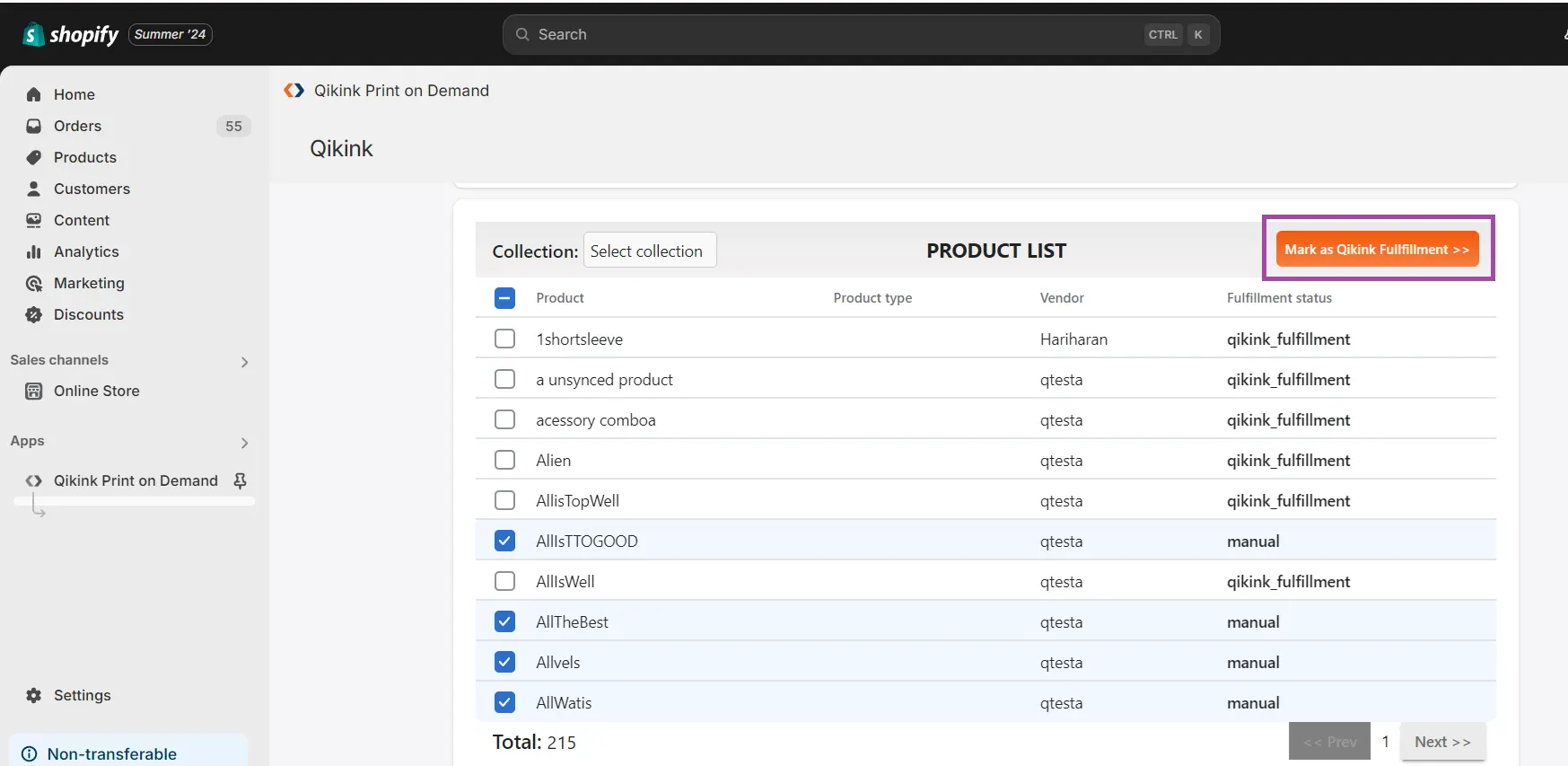
- That's it. Now the location will be changed to Qikink fulfillment.
Watch this video for a better understanding.
Assigning orders to fulfillment
- Refer to the pull all orders from store article to learn about mapping the product for fulfillment.