Qikink

How to Push products from Qikink to your Shopify store?

Introduction:

Adding products from Qikink to your Shopify store is simple. Once your Shopify store is connected with Qikink, you can select any product from the catalog, customize it, and push it directly to your store.

Pro Tip

In this Article, we will show you how you can easily create and push products to your Shopify store from Shopify store itself.

Alert

Now you can easily create Qikink products from your Shopify admin panel.

Step1: Open Qikink shopify app and click on "Qikink Products"
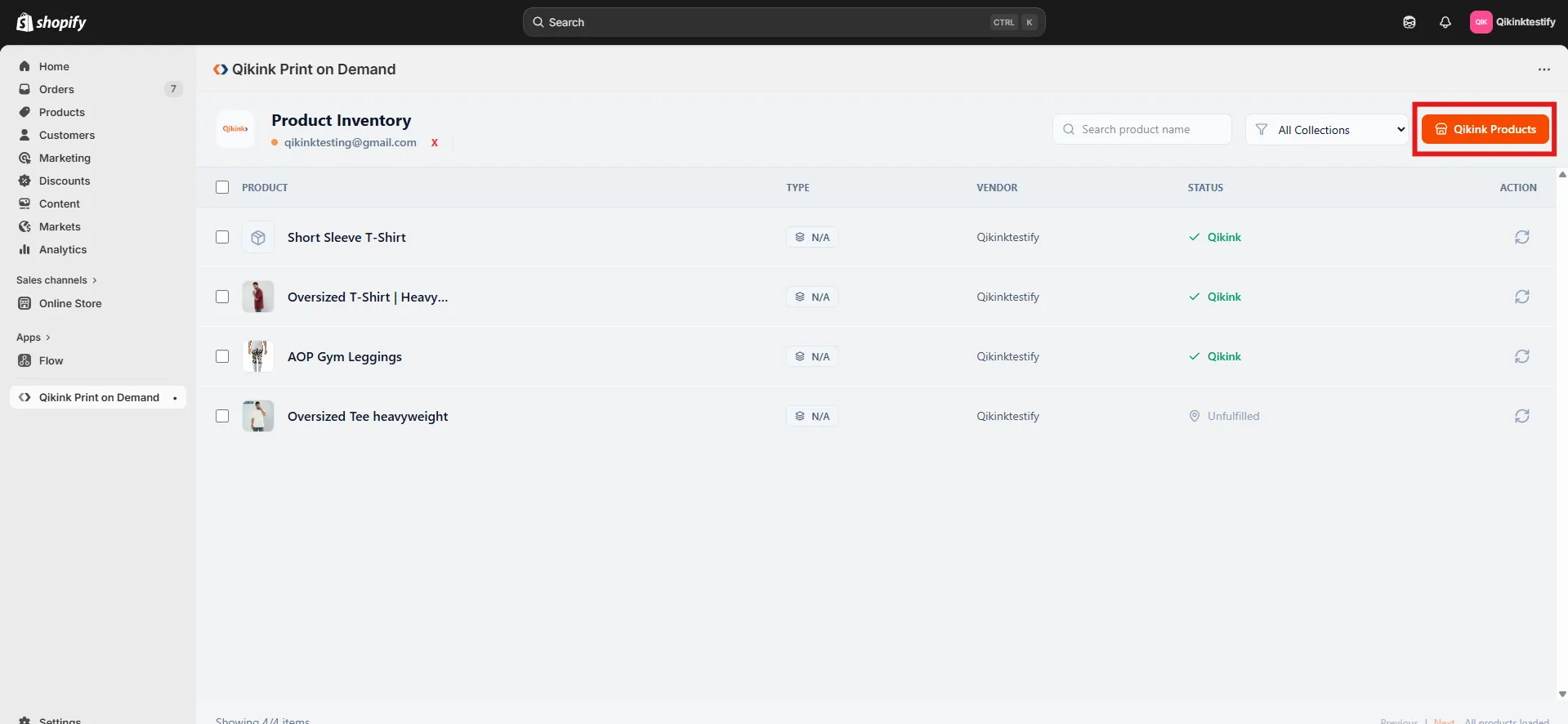
Shopify admin panel showing Qikink Product Inventory with Qikink Products button

Step2: A pop-up with all available categories will appear. You can select products after clicking the category or by searching for the product name in the search bar.
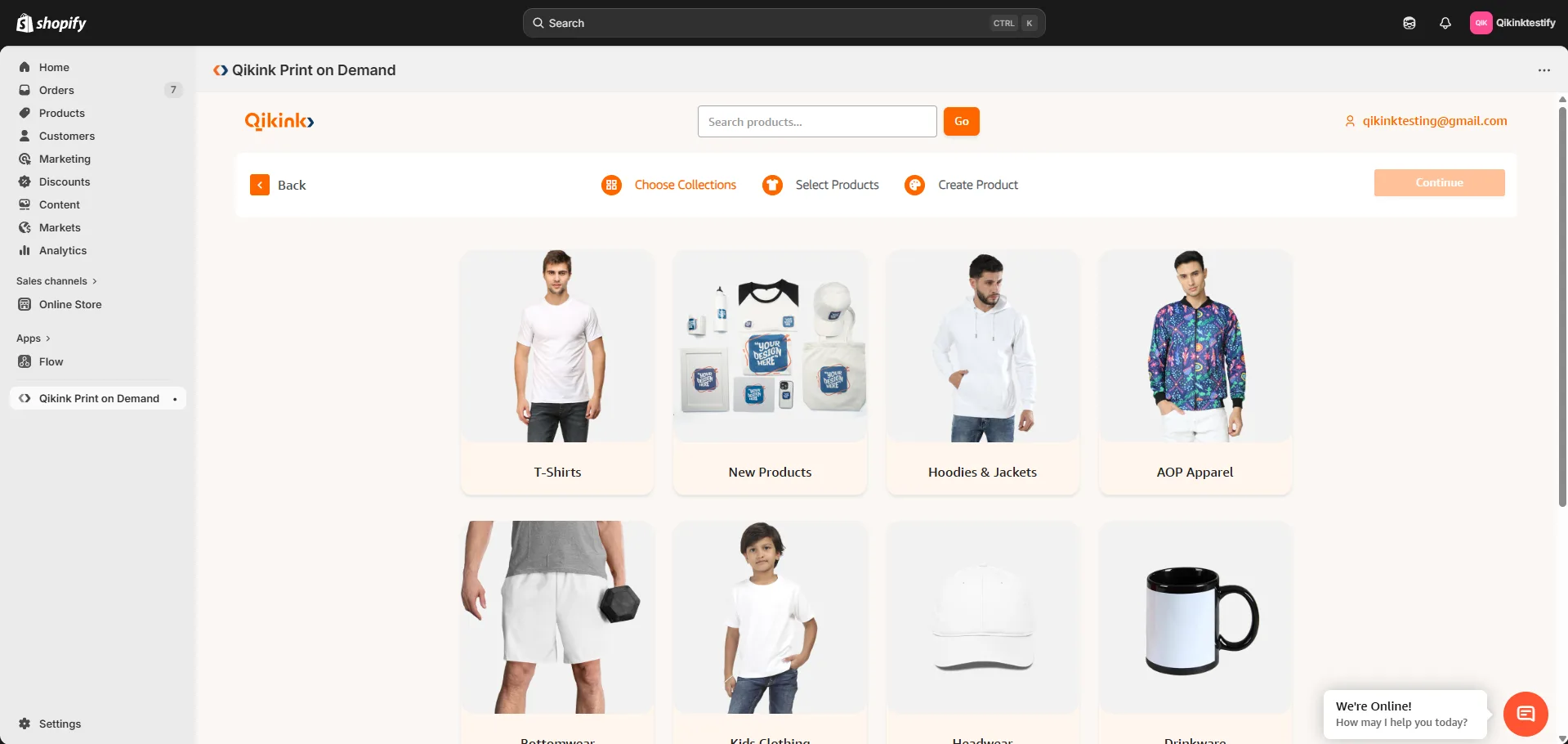
Shopify Qikink app showing product categories including T-Shirts, Hoodies, AOP Apparel and more

Step3: In the Product creation page you can select the variants you want to sell and give prices in the respective prices field.
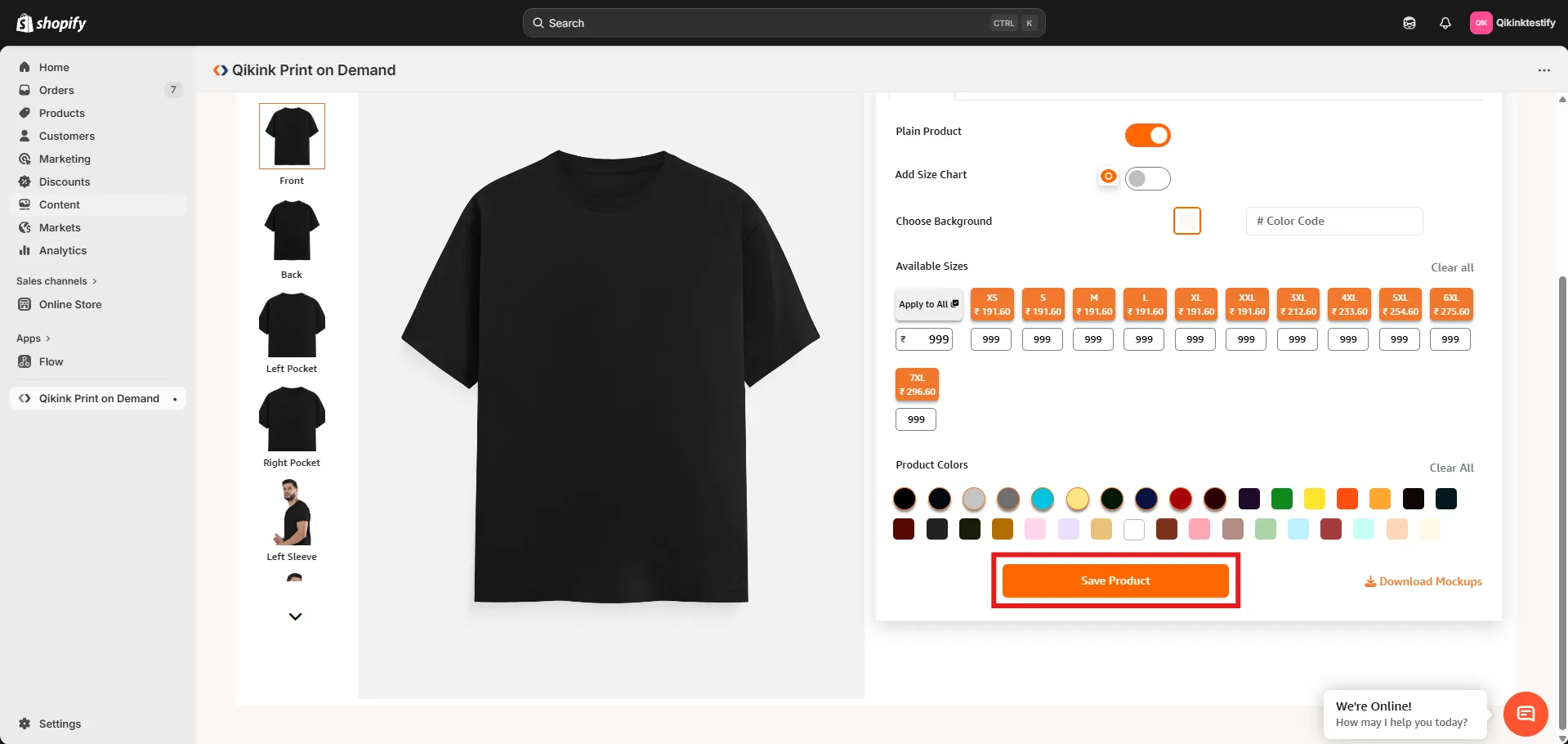
Product creation page showing size and color variants with pricing fields

Step4: Click on the "Save Product" to save the product.
Product page with Save Product button highlighted

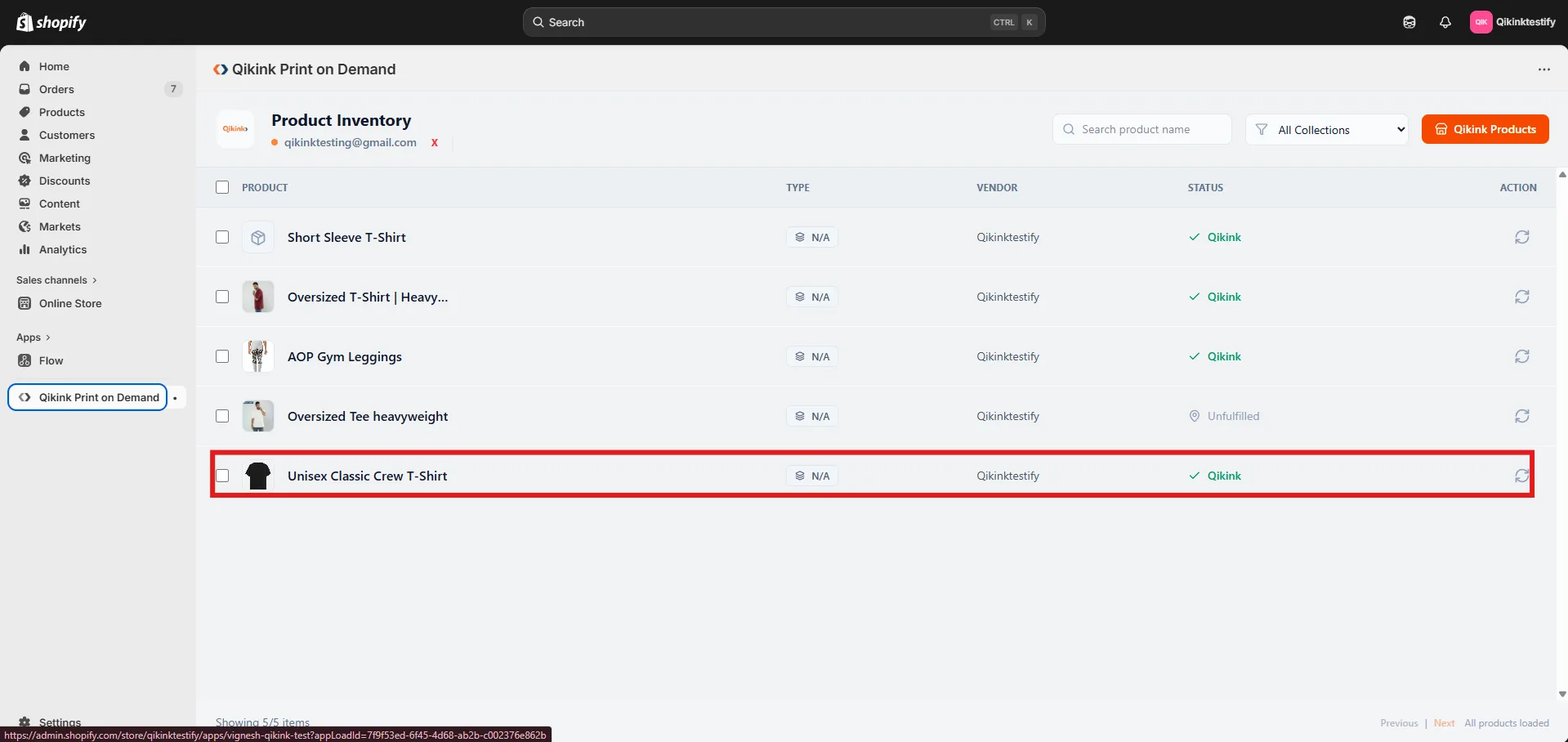
Step5: Your product has been created and pushed to your Shopify products.
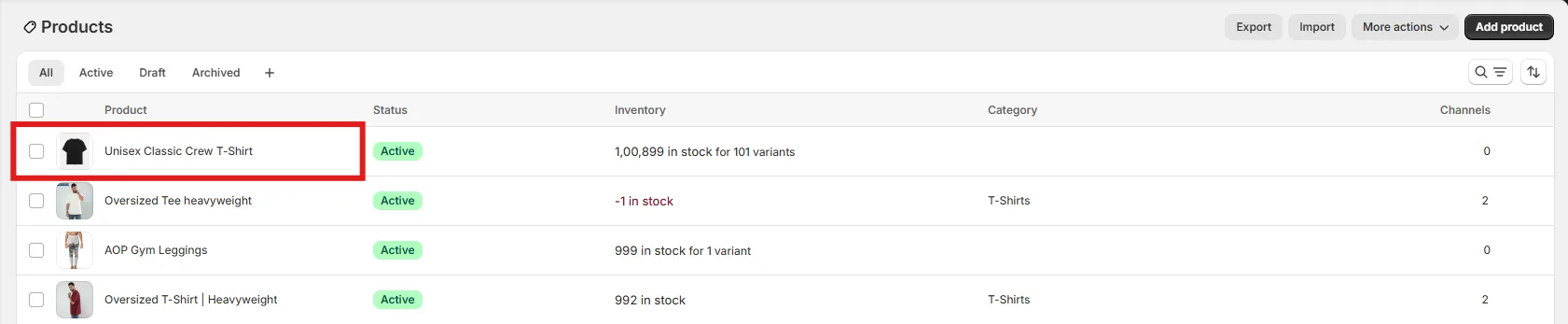
Shopify Products list showing the newly pushed product as Active

Creating and pushing products to Shopify from Qikink is so easy. Also, you can create a product and push from your Qikink seller dashboard.

Frequently asked questions:

After pushing the product, you can find it in your Shopify Admin → Products and Qikink Shopify App. From there, you can edit product descriptions, pricing, SEO details, or images if required on your Products in Shopify store.
No, you cannot push the same product more than once. If a product is created in either the Qikink Shopify app or from the Qikink seller dashboard, it will reflect on the other platform too.
Yes. You can delete the product directly from your Shopify store if you no longer want to sell it.
Yes. You can update pricing anytime from your Shopify product page.
If you no longer want Qikink to fulfill a product, you can change the fulfillment setting in Shopify or delete the product from your store.

Still can't find an answer?

Send us a ticket and we will get back to you.

Submit a ticket