
Integrating your Woo-commerce store with Qikink
Pro Tip
To connect your Woo-commerce store with Qikink, you must sign up with Qikink.
Pro Tip
You can integrate your Shopify store with Qikink once you sign up
Connect With Shopify
You can connect your WooCommerce store with Qikink in a quick few steps. Here's how to do it:
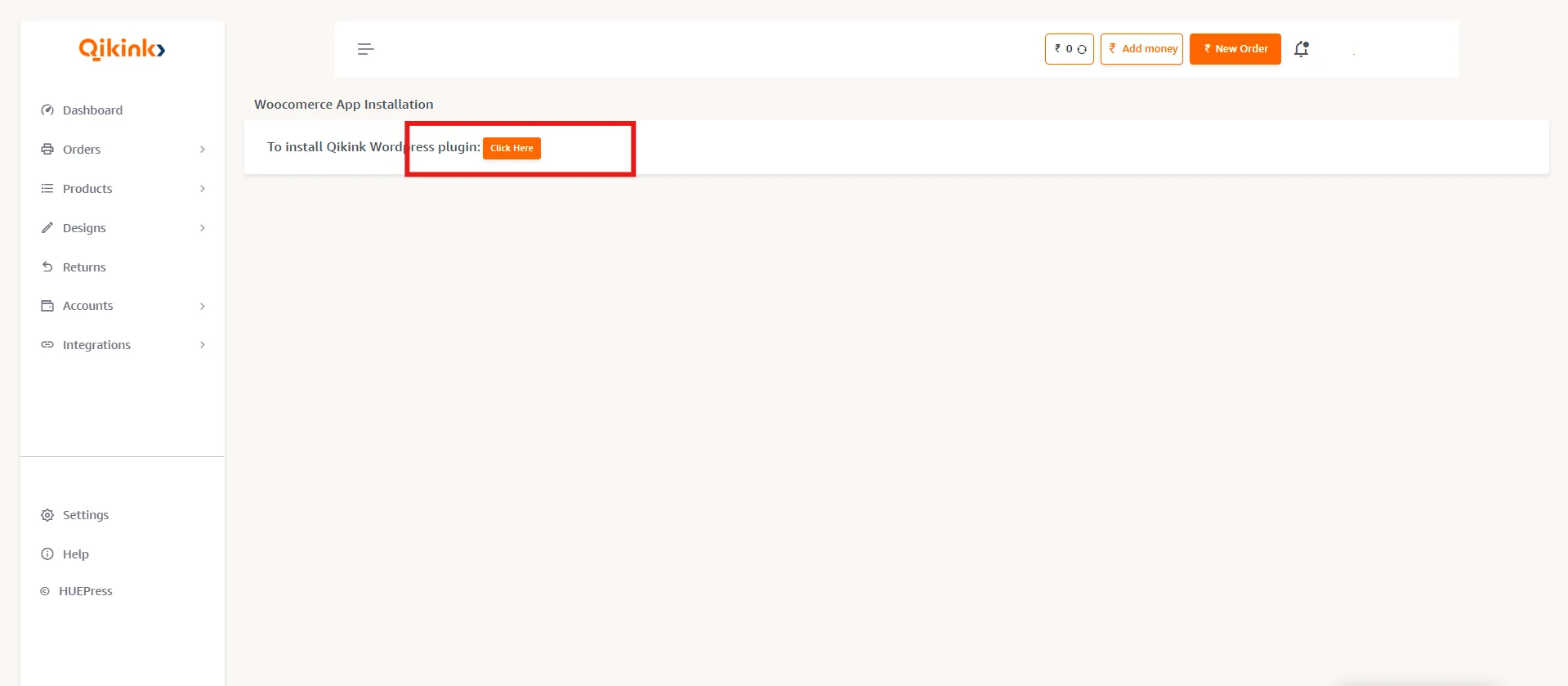
- 1Login with your seller dashboard and click Integrations > Woocommerce and click on "Click here"
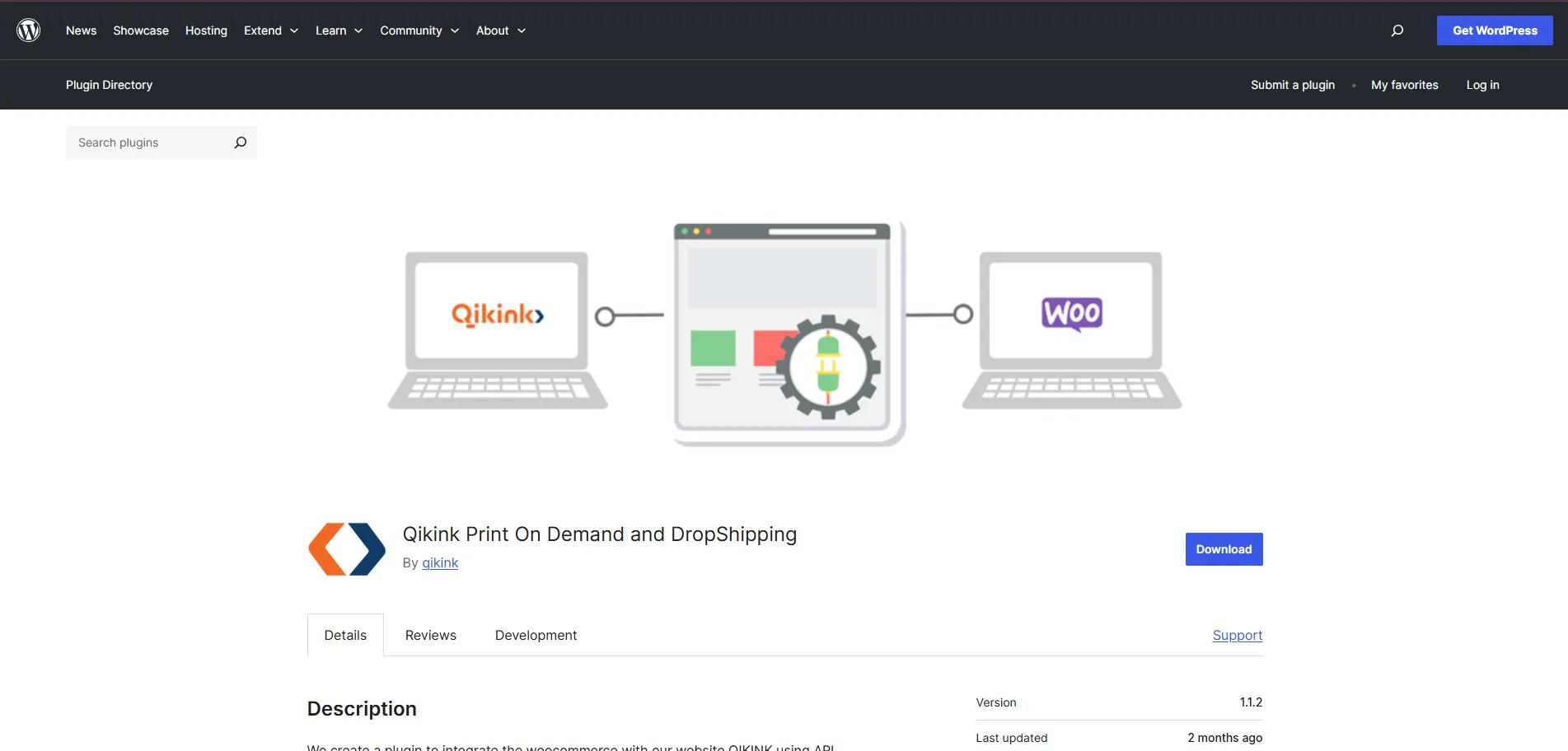
- 1Click Install to install the Qikink wordpress plugin
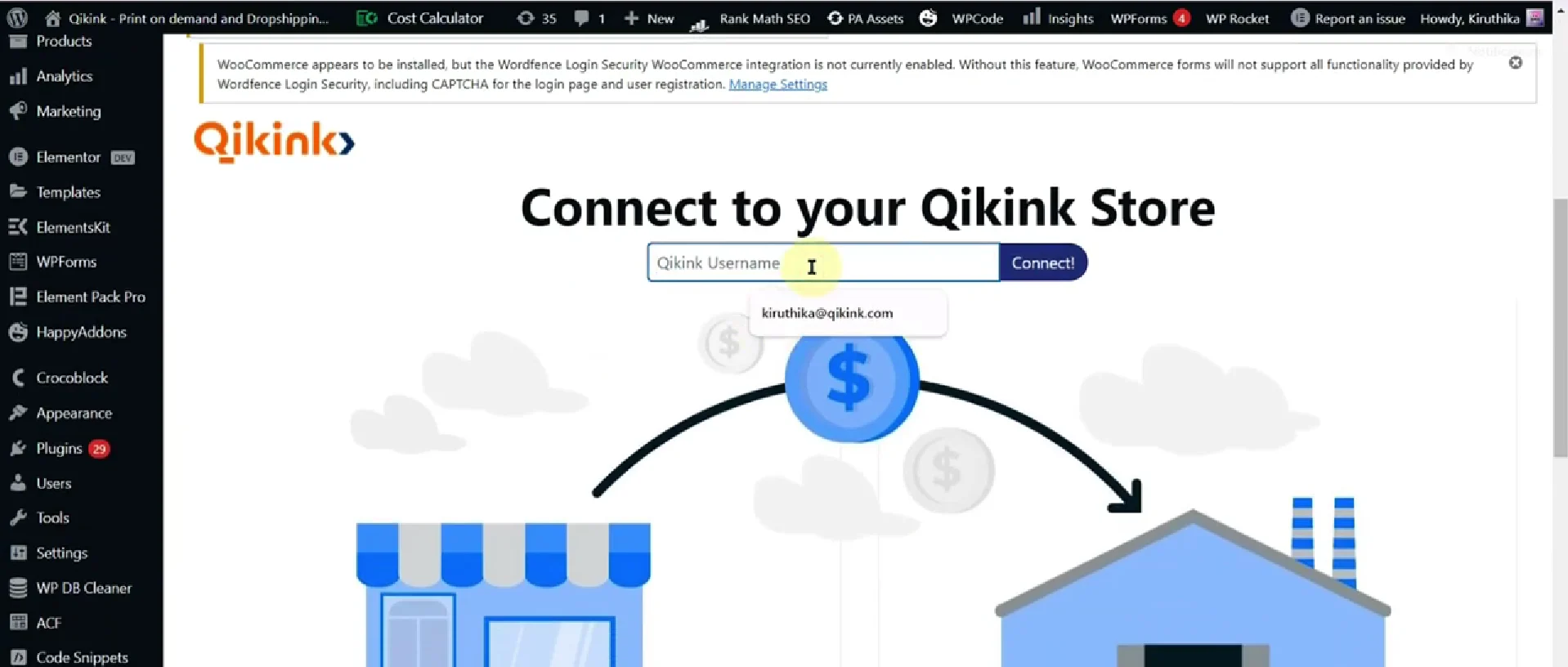
- 1After installing the app, enter your Qikink username. You will get an OTP to your registered mail, enter that to integrate with Qikink
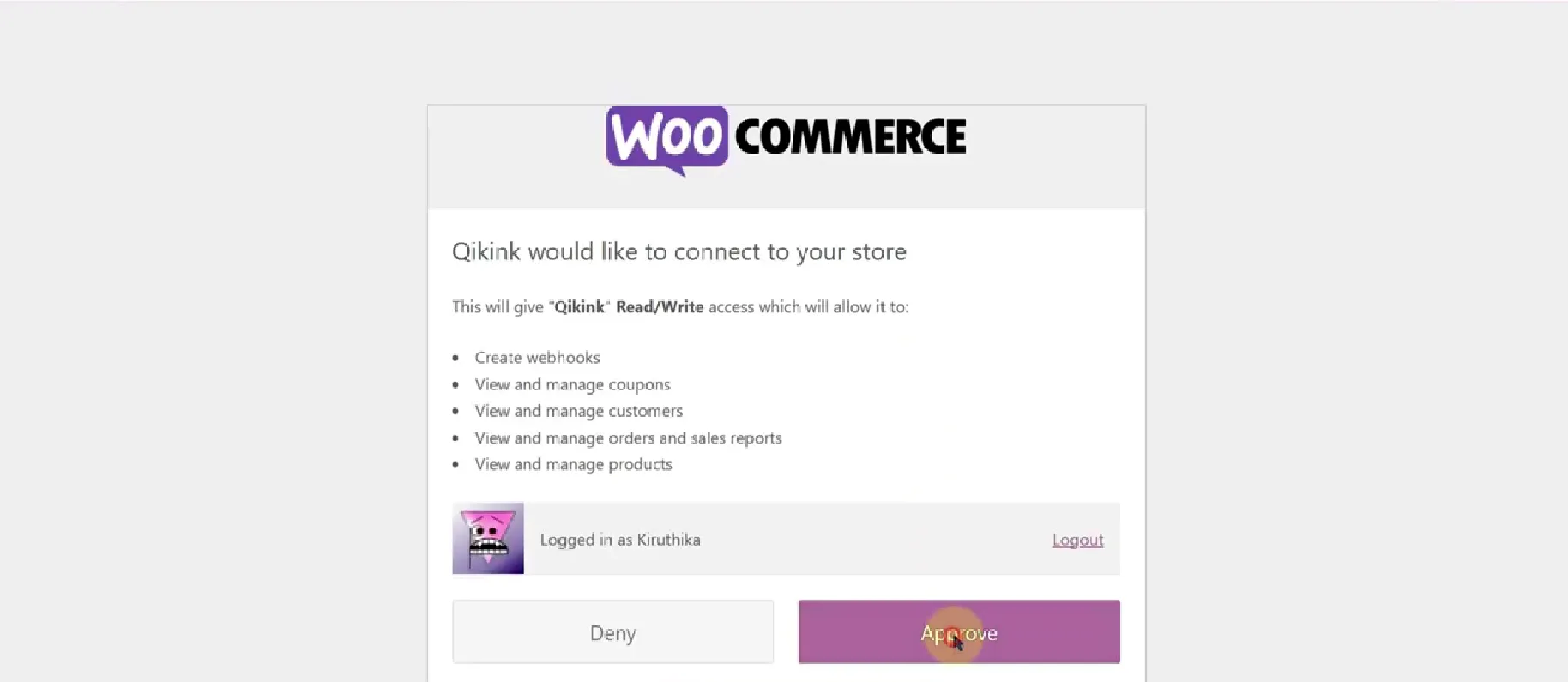
- 1After entering OTP , click on approve on the next page
- 1Once its successfully integrated you will get a screen like the below
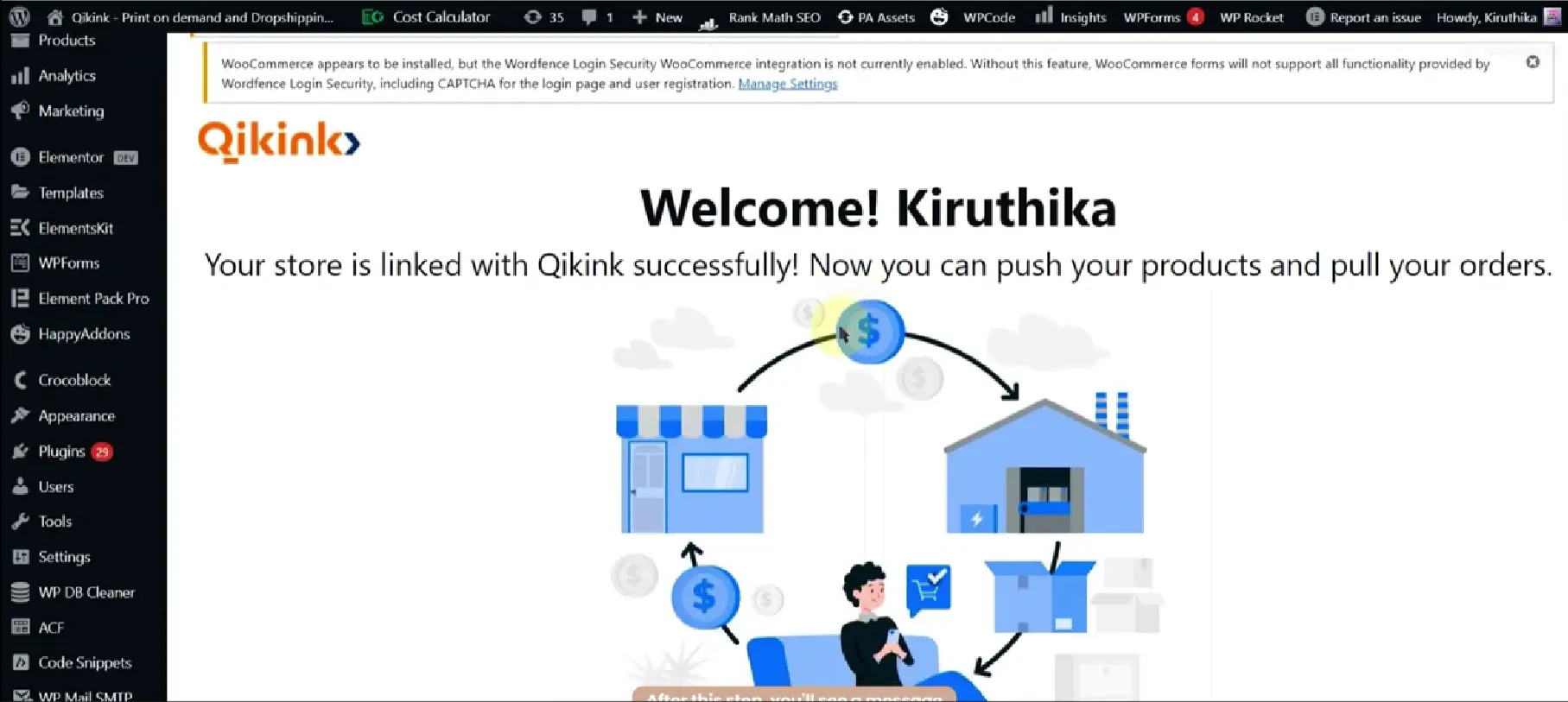
- 1You can verify the integration by going back to your Qikink dashboard, refresh the Integration > WooCommerce page
Your store is successfully integrated with Qikink.
Once you have integrated your WooCommerce store with Qikink Dashboard, you can place all your orders with just a click of a button.
Frequently asked questions:
Yes. Qikink's WooCommerce integration is completely free to use. You only pay for the products you sell and the orders that are fulfilled.
No technical expertise is required. You simply need to install the Qikink plugin, enter your API key, and connect your store. The setup process is simple and quick.
Once your store is connected, orders placed in your WooCommerce store are automatically synced to your Qikink dashboard for fulfillment.
Yes. All available variants such as size and color are automatically synced when you push the product to your WooCommerce store.