
All Over Print Design Guidelines for Tote Bags
Steps to Upload Your Design
- 1
Log in to your Qikink Merchant account and go to My Products.
- 2
Select the AOP Tote Bag product
- 3
Click the Info (ⓘ) icon to check the product-specific design guidelines.
- 4
Prepare your design according to the required dimensions, file format (PNG/JPEG), 300 DPI resolution, and placement guidelines.
- 5
Upload the design file in the respective placement.
- 6
Check the generated mockup and save the product once the placement looks correct.
How to Prepare the Design File for the AOP tote bag
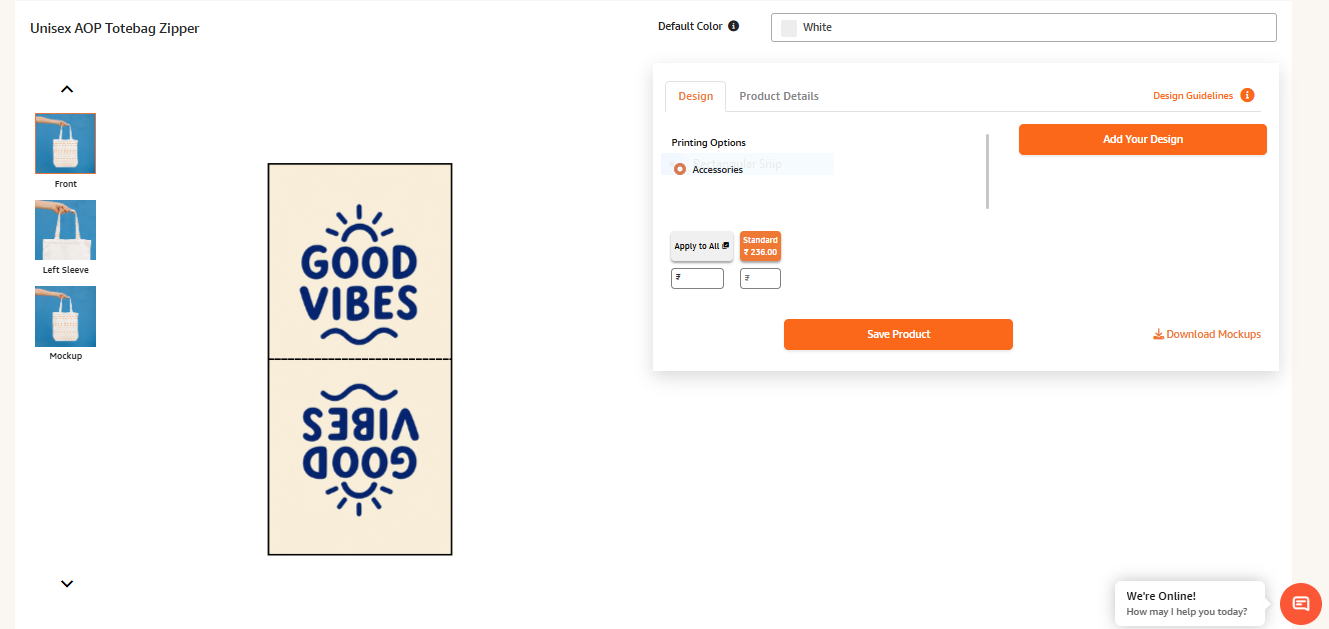
The AOP Tote Bag front placement is divided into two sections:
First half → Front placement
Second half → Back placement
1. Front Placement
For the front placement, prepare the design in mirror reflection before uploading it. This is required because of the way the tote bag is folded during production.
2. Back Placement
The second half of the design file is used for the back placement. Prepare the design according to the required back-side orientation.
3. Tote Bag Handle
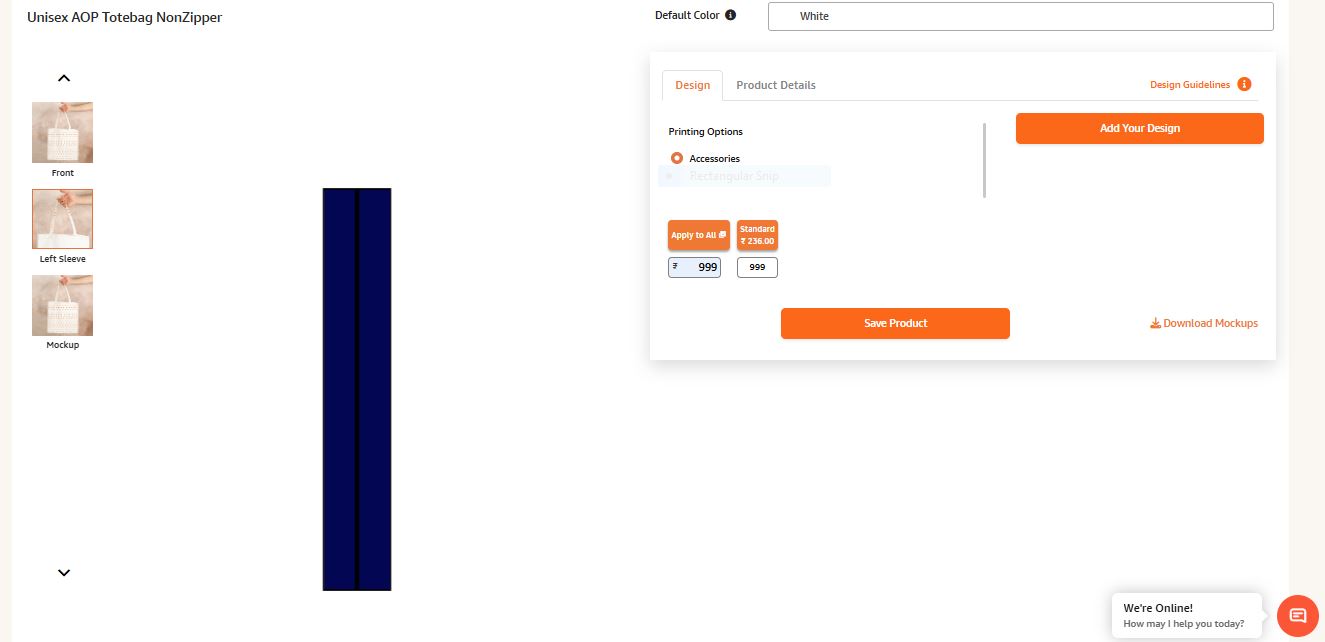
While creating the product, the Left Sleeve placement represents the tote bag handle. You can upload your preferred design for the handle in this placement.
ALERT
The last product mockup option is only for your website/product display. The front and left sleeve placement mockup will be used by the production team for processing your AOP Tote Bag.
PRO TIP
If you are using a repeated or all-over design, you can repeat and adjust it from your end to create the required mockup. For placement designs, make sure the design is positioned and mirrored correctly where required.
AOP Tote Bag – Frequently Asked Questions
Yes. The Left Sleeve placement in the dashboard represents the tote bag handle, which can be customized.
The front design needs to be uploaded in mirror reflection because of the way the tote bag is folded during production.
The front placement is divided into two sections, with the first half used for the front and the second half used for the back.
Yes, you can upload different designs for the front and back placements. It is not mandatory to use the same design on both sides.
The final product will reflect the background used in your uploaded artwork. If your artwork has a colored background, the same background will appear on the final product.