
Prepare Print Files - A Definite Guide
Preparing Print Files
Alert
For DTG printing avoid Florescent and Gradient colors and smoke effects to get the desired output.
Format: PNG
- 1Open Photoshop
- 2Go to File > New
- 3Enter Resolution: 300 pixels/Inch, Mention the required Height and Width
- 4Prepare your design
- 5Remove Background Color if added
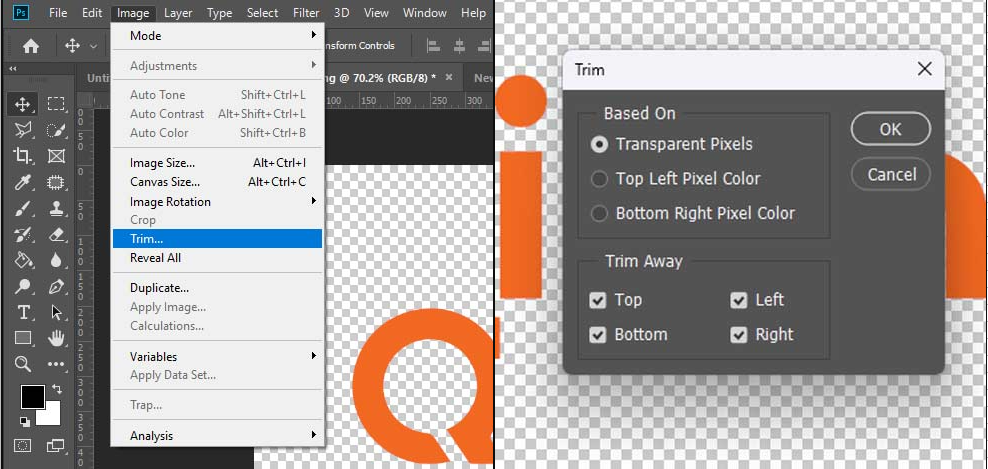
- 6Trim the Empty spaces: Image > Trim
- 1Save the file in PNG format
We recommend uploading your designs in PNG or JPEG format for the best results.
Yes. PNG files with transparent backgrounds are supported and are recommended for apparel printing.
Your design file should not exceed 25 MB.
Slight color variations may occur due to differences between digital screens and printing processes.