
Embroidery - Getting Started
What is Embroidery?
Embroidery is a decoration method where your design is stitched onto the fabric using colored threads. It creates a premium, textured finish that is durable and long-lasting. Unlike printing, embroidery creates a raised texture that feels structured and premium.
This guide will help you understand when to choose embroidery, how to prepare your files, and what to expect during production.
How Embroidery Works?
- You upload your artwork
- The design is digitized into a stitch file by us
- Thread colors are selected
- The embroidery machine stitches the design onto the garment
What is Digitization?
Digitization is the process of converting your artwork into a stitch map that embroidery machines can read.
It defines:
- Stitch direction
- Stitch density
- Layering sequence
- Thread trims
Digitization directly affects the final quality and stitch count of the design.
File Requirements
To get the best embroidery results, keep your design:
- Clear and high quality
- Bold and easy to read
- Simple, not overly detailed
Guidelines for Embroidery
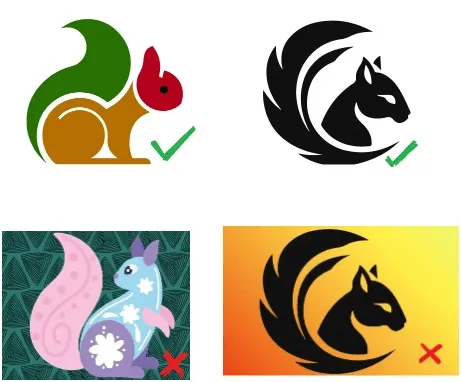
- Embroidery design elements must be clear and bold.
- Very thin lines may be difficult to process and stitch accurately.
- Minimum object/text size should be 1 × 1 inch (width × height).
- If the design does not meet the required dimensions or technical standards, Qikink may slightly adjust the size, spacing, or detailing to ensure the best possible embroidery output.
- If the design does not fit the selected print area, we may increase the size by 0.5–1 inch for optimal placement and clarity.
- The maximum printable area for apparel is 3.5 × 3.5 inches (width × height).
- The maximum printable area for cap is 2.25 × 2.25 inches (width × height).
Note
Thread colors may vary slightly from the original digital design and from order to order.
How to Add Embroidery Products?
- 1Login to your Qikink merchant dashboard.
- 2Go to Products > Add Products.
- 3Choose your product to be embroidered.
- 4Select the print type as embroidery and click the sizes and colors.
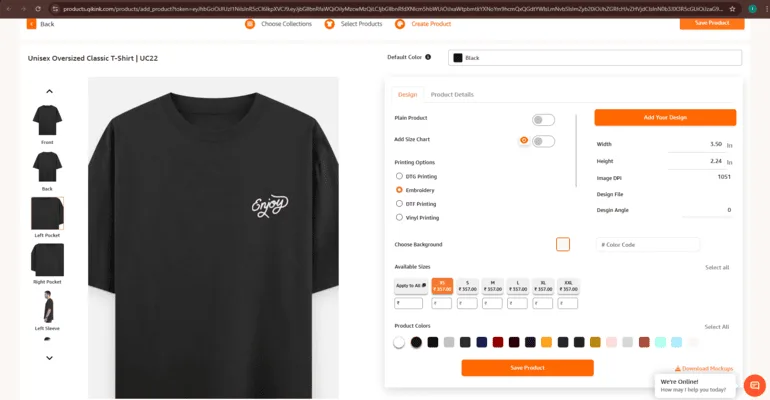
- 1Click "Add Design" and "Add New Embroidery Design".
- 2Drag and drop your design file.
- 3Make changes to Product name, Tags, Colors and Prices.
- 4Now click on Save Product. Your products will be saved instantly in the "My Products".
How to Place an Embroidery Order?
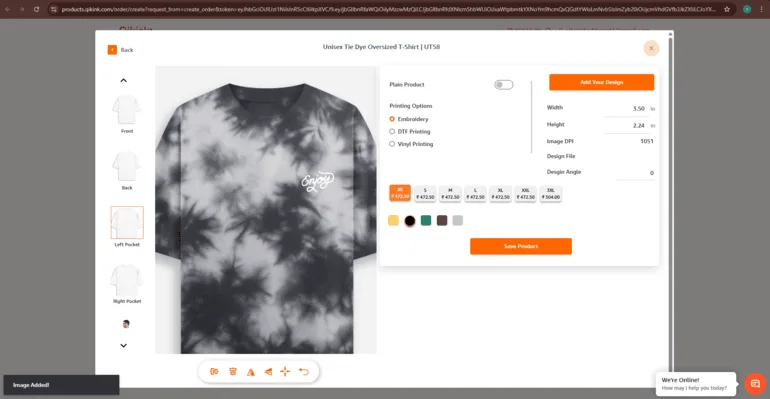
- 1Log in to your Qikink merchant dashboard and go to Create Order.
- 2Go to Orders > Create Order.
- 3Select the embroidery from the available print types.
- 4Click Add Design > Add New Embroidery Design to upload your graphic design.
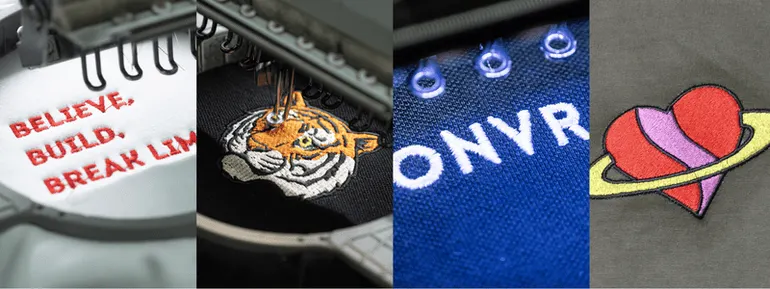
Here are the sample images for embroidery:
Frequently Asked Questions
- Text height: minimum 5 mm
- Line thickness: minimum 0.8 mm
- Very fine details may not stitch clearly.
Pricing is based on the placement area, not the number of thread colors used.