
Out Of Stock - How To Handle Stock Issues on Your Online Store
Even after adopting best practices to stock inventory, we cannot avoid products going out of stock completely. There may be due to several reasons like sudden surge in orders, quality failure before and after printing, etc. However, this does not stop us from working to resolve the stock issues to the maximum.
In this article, we will cover everything about out-of-stock and how you can take action on it.
Out Of Stock List
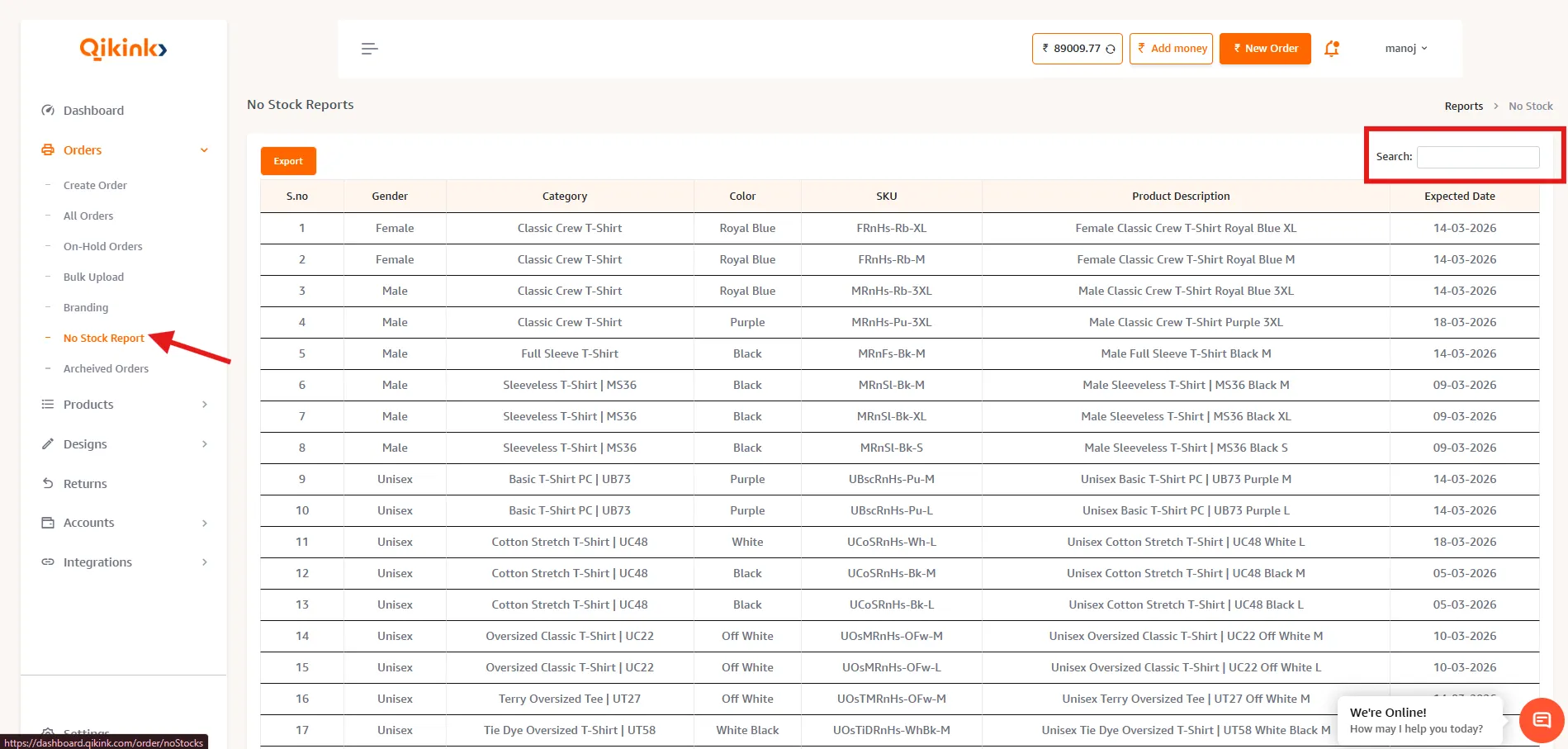
Qikink provides a consolidated list of all out-of-stock products along with the estimated restock date. Here's where you can find it.
- 1Log in to your Qikink Dashboard
- 2Go to Orders > No Stock Report
Pro Tip
You can find the list of all products that are out of stock along with the estimated restock date.
- 1You can search for a product using the search bar.
Pro Tip
You can also download the list of all the out-of-stock products by clicking on the EXCEL button.
How you can take action on out-of-stock orders
When you place an order for a product that is out of stock, the order is moved to LIVE-OOS status.
Here's what you can do here:
- 1Check the restock date of the product in the No Stock list.
- 2Contact your customer and confirm if he/she is willing to wait until the product re-stocks. If yes, then you can wait till the product restocks.
In case the customer is not willing to wait for the restock, you can
Pro Tip
- Cancel the order
- Change the product color or size and place a new order
- Add a freebie for your customer at your cost to not lose the sale ( a low-priced product)
- Add a discount or coupon on a second purchase
Pro Tip
All out-of-stock orders are printed first as and when the product gets restocked.