
Creating Mockups using Mockup Generator
You can create unlimited mockups using the Qikink mockup generator. Let's see how to create mockups using Qikink's mockup generator.
Mockup Generator
- 1Log in to your Qikink Dashboard.
- 2Go to Products and click "Add Products".
- 3Select category.
- 4Select the product and click 'continue'.
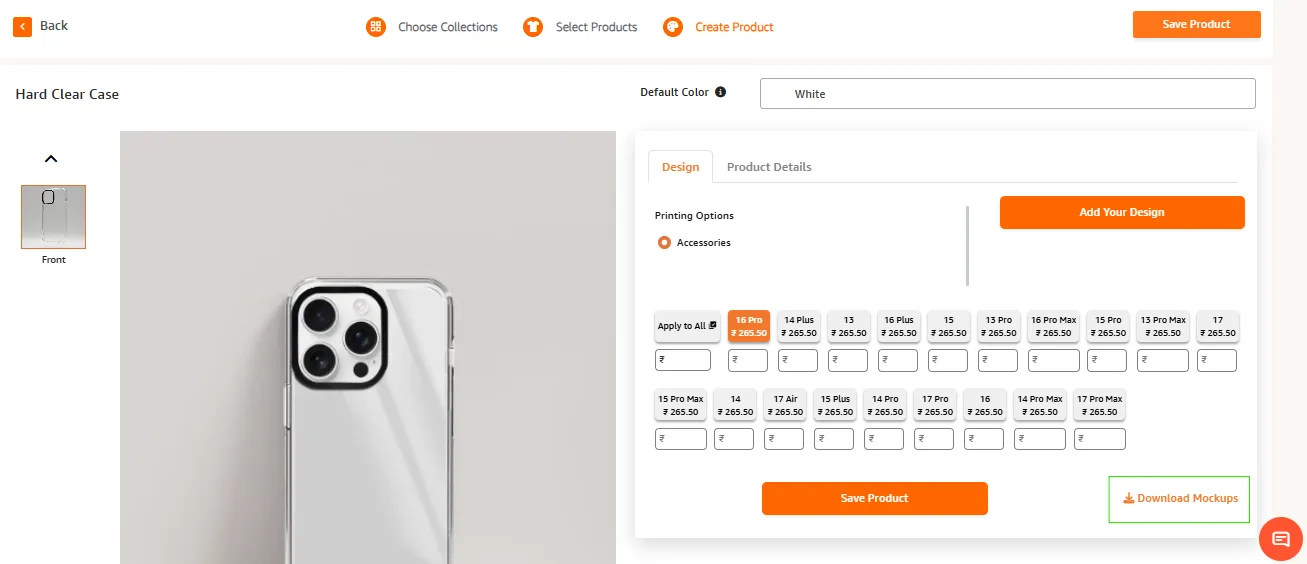
- 5Add your design or select from My designs.
- 6Align the design as per your requirement.
- 7Click on Download Mockups to save them as zip file on your PC.
Tip!
You can download different angles of product mockups from the Qikink mockup generator.
ALERT
You cannot download the mockup image and save the product at the same time. You can either save the product or download the mockup image.
If you download the mockup image, the product will not be saved. To save the product, you need to create the product again and save it.