

Selling products online in India requires a suitable product, a clearly defined target customer, the right selling model and sales channel, reliable payments, and a workable fulfilment process. You can sell through marketplaces, your own online store, or social channels, using models such as holding inventory, dropshipping, or print on demand. Platforms like Qikink support Cash on Delivery (COD) and deliver to 29,000+ pincodes across India.
The right setup depends on what you sell, who you want to reach, how much you can invest upfront, and how you plan to fulfil orders. Marketplaces can provide access to existing shoppers, while your own store gives you more control over the customer experience and brand.
A seller with a small budget and no existing stock may prefer a model that does not require holding inventory, while a seller who already has products to sell may prefer to keep full control over fulfilment. There is no single correct way to sell products online in India. The right combination depends on your product, your customer, and how much of the process you want to manage yourself.
Key Takeaways:
- Product choice depends on demand, competition, pricing, and how consistently you can fulfil orders.
- Define your target customer before choosing a selling channel or model.
- Your selling model and sales channel determine your upfront cost, control, fulfilment responsibilities, and reach.
- Payments and fulfilment need to work together, since COD availability, shipping speed, and returns can affect the buying experience in India.
- GST requirements depend on factors such as turnover and selling channel, so confirm the requirements that apply to your business before taking orders.
- Marketing determines whether your products actually get seen. A store or product page alone does not generate sales.
How Online Selling Works in India?
Online selling has four connected parts: choosing what to sell, deciding how to fulfil orders, selecting where customers will buy, and setting up the payments and operations needed to complete those orders.
Your product and target audience influence how you position and sell the product, while your selling model determines factors such as inventory requirements, upfront costs, fulfilment responsibilities, and the amount of control you have over the customer experience.
The sales channel affects how customers discover and purchase your products. Marketplaces, your own store, and social channels each offer a different mix of reach and control. Social channels can also help sellers test products and build demand before expanding to other channels.
Once the selling setup is chosen, you need to handle payments, shipping, fulfilment, and applicable legal requirements. Marketing brings potential customers to your listings or store, while sales and customer data help you improve your products, pricing, and selling approach as the business grows.
Can You Make a Profit Selling This Product?
Choose a product, enter your selling price, and see an estimated online-selling margin before listing it.
1. Choose a product category
Please choose a product to continue.
2. Enter your planned selling price
Enter a valid selling price to continue.
Your estimated product listing result
Product result
This is an illustrative estimate based on Qikink’s published 2026 base pricing and minimum print charges. Actual costs depend on print area and design size, product variant, destination, shipping method, payment charges, taxes, COD, returns, discounts, and advertising performance.
How to Sell Products Online in India: 10 Steps
Once you understand how the different parts of online selling fit together, the next step is to make decisions in the right order. Start with the product and customer, then choose how and where you want to sell.
1. Choose Your Product and Niche
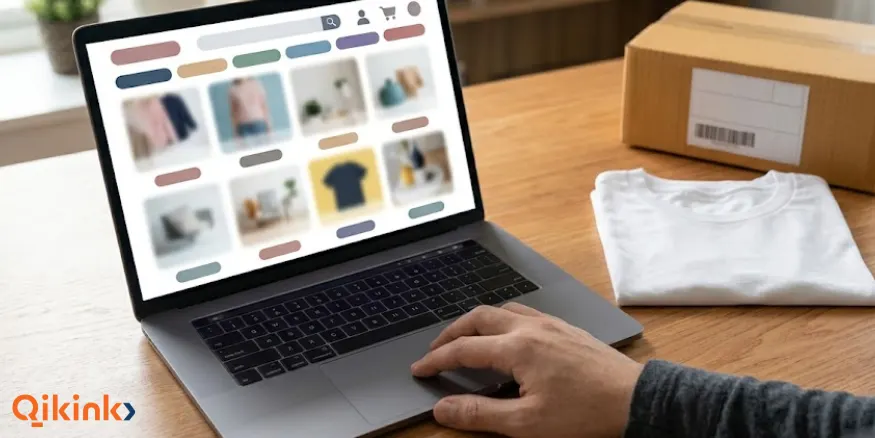
Choose a product based on customer demand, pricing, fulfilment requirements, and your ability to offer something different. A focused product range can make it easier to test demand, manage operations, and understand which products customers prefer.
Before you start selling, check the product’s expected selling price, sourcing or production cost, shipping requirements, return risk, and expected margin. The product should also be practical to fulfil consistently once orders start coming in.
How to Find a Product to Sell?
Product ideas and factors to consider before choosing what to sell online
High Demand Products to Sell →
2. Understand Your Target Audience
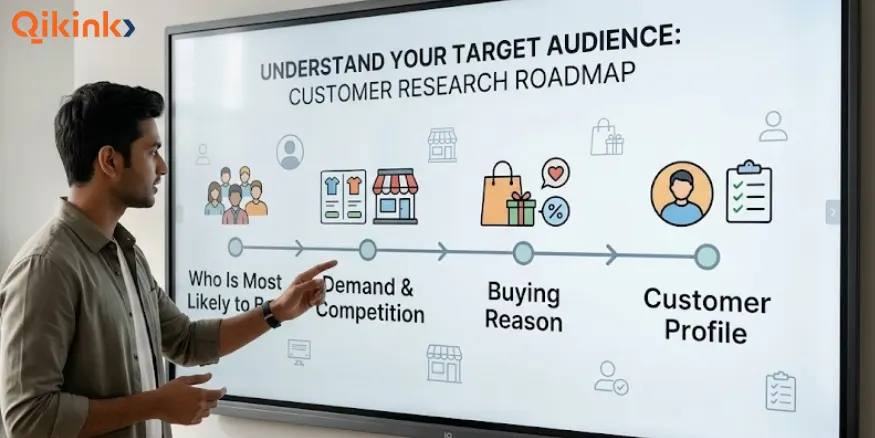
Define your target customer before deciding how to present, price, and market your products. A target audience is the specific group of people most likely to need your product and be willing to pay for it.
Identify Who Is Most Likely to Buy
Start with the reason people would buy the product. For example, a seller offering customised fitness T-shirts can target gym-goers, runners, or fitness communities instead of trying to sell the same design to everyone.
Consider factors such as age, location, occupation, interests, spending ability, and buying habits. For customers in India, location can also affect the buying experience because shipping costs, delivery times, COD availability, and product preferences can vary across customer groups.
Study Demand and Competition
Look at how similar products are priced and presented on marketplaces, social media, Google, and competitor stores. Customer reviews can show what buyers like, what they complain about, and what they expect from products in the category.
Competition does not automatically mean you should avoid a product. A product can still work when you have a clear customer segment, useful customisation, better positioning, or a price that makes sense for the intended buyer.
Understand the Buying Reason
A customer may buy a product to solve a practical problem, support a hobby, express an interest, or purchase a gift. Knowing the main buying reason helps you decide which product features, benefits, images, and offers to highlight.
For example, the same customised tote bag can be positioned for college students, everyday shoppers, gifting, or a specific interest group. The product stays similar, but the target customer and product presentation change.
Create a Simple Customer Profile
Write down a basic description of your ideal customer before listing the product. Include who they are, what they want, why they would buy the product, what price they are likely to consider, and where they usually discover products.
Use this profile when choosing your selling model, sales channel, product presentation, and marketing approach. It also helps you avoid trying to sell the same product to everyone.
3. Choose Your Selling Model
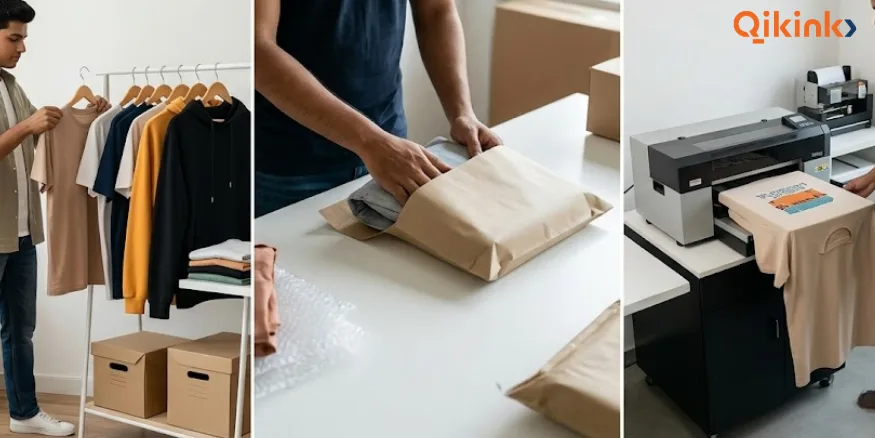
Your selling model determines how you source products, handle inventory, fulfil orders, and manage upfront costs. The main models are buying and stocking products, dropshipping, and print on demand.
| Selling Model | Inventory Needed | Upfront Product Cost | Fulfilment Responsibility | Main Consideration |
|---|---|---|---|---|
| Buy and stock products | Yes | Higher | Seller or 3PL provider | More control, but inventory risk |
| Dropshipping | No | Lower upfront inventory cost | Dropshipping supplier | Less control over fulfilment and product experience |
| Print on demand | No | Lower upfront inventory cost | POD provider | Suitable for customised products without finished inventory |
Buy and Stock Products
Buying products in advance gives you direct control over stock, packaging, quality checks, and order fulfilment. It can work well when you can forecast demand and fund inventory before receiving orders.
The main trade-off is that your money is tied up in stock. Unsold products, storage costs, damaged goods, and slow-moving sizes or variants can affect your cash flow.
Dropshipping
The dropshipping model allows you to sell products without purchasing and storing inventory in advance. When a customer places an order, the supplier fulfils and ships it directly to the customer.
This reduces the need for upfront inventory investment, but the seller has less control over product quality, packaging, stock availability, and fulfilment because these depend on the supplier.
Print on Demand
Print on demand is an inventory-free selling model in which products are printed or manufactured after an order is received. It is useful for sellers who want to customise, design and sell products online without keeping finished inventory.
For example, a seller can create designs for T-shirts, hoodies, mugs, or bags and list them online. When an order comes in, the POD provider produces the product and handles fulfilment.
Which Selling Model Should You Choose?
Choose based on your budget, product type, demand predictability, inventory risk, and fulfilment control. Stock products when you need more control and can fund inventory; use dropshipping for existing products without holding stock; choose print on demand for customised products without finished inventory.
Tip
Qikink offers free sign-up, no subscription fee, and no minimum order quantity. Sellers pay per order, while the platform handles production and fulfilment for supported products.
4. Choose Where to Sell
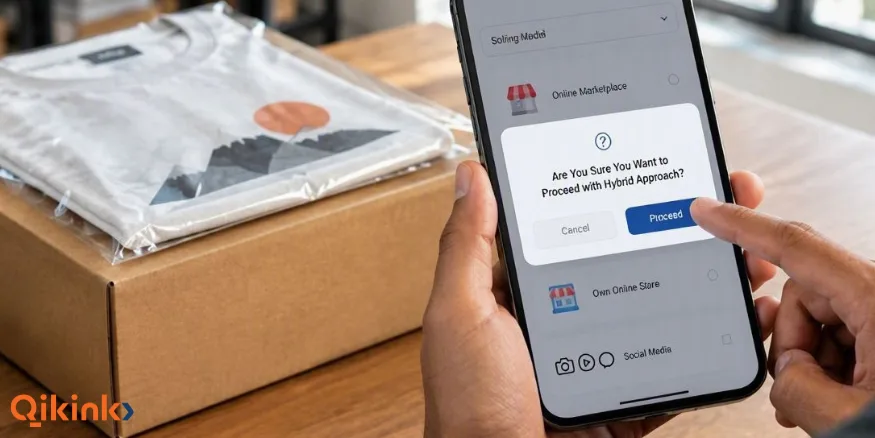
Choose a sales channel based on where your target customers already shop, how much control you want over the buying experience, and how much effort you can put into generating traffic. In India, the main options are online marketplaces, your own online store, social channels, or a combination of these.
| Where you sell | Best suited for | Main advantage | Main limitation |
|---|---|---|---|
| Online marketplace | Beginners seeking existing traffic | Built-in customer base | Less control, marketplace fees |
| Own online store | Building a long-term brand | More control over brand and customer experience | You need to generate your own traffic |
| Social channels | Testing products and audience demand | Helps with product discovery | Limited store functionality |
| Hybrid approach | Growing sellers | Combines reach and control | More channels to manage |
Online Marketplaces
Marketplaces can be a practical starting point when you want access to customers who are already searching for products. The platform handles much of the shopping infrastructure, but you have to work within its fees, policies, listing requirements, and competition.
Online marketplaces can also help you test product demand before investing more time in building an independent store. Your ability to control the customer experience and build a direct relationship with buyers is more limited.
Your Own Online Store
Your own online store gives you greater control over your brand, product pages, pricing, customer experience, and store design. You are also responsible for bringing customers to the store through search, social media, advertising, content, referrals, or other marketing methods.
Shopify and WooCommerce are two common options for setting up an online store. You do not need to choose a platform solely based on popularity. Consider its cost, ease of use, integrations, payment options, and how well it fits your fulfilment setup.
Social Channels
Social channels can help you introduce products, test demand, and reach people who already follow your content or interests related to your product. They are particularly useful when the product is visual or depends on community interest, such as customised clothing, artwork, or niche products.
Social channels can generate discovery and enquiries, but they may not provide all the store, payment, order management, and customer-service features that a dedicated e-commerce store offers.
Hybrid Approach
A hybrid approach combines two or more sales channels. For example, a seller can maintain their own online store while also listing selected products on a marketplace and using social media to generate traffic.
This approach can reduce dependence on a single channel and give you different ways to reach customers. The trade-off is that managing multiple listings, orders, customer interactions, and marketing activities requires more time and organisation.
Which Sales Channel Should You Choose?
Choose the channel that matches your current resources and where your target customers are most likely to buy. A marketplace can make sense when you need existing traffic, your own online store is useful when brand control is a priority, and social channels can help you test products and build an audience.
You can start with one channel and add others after you understand your product demand and order process.
5. Set Up Your Online Store
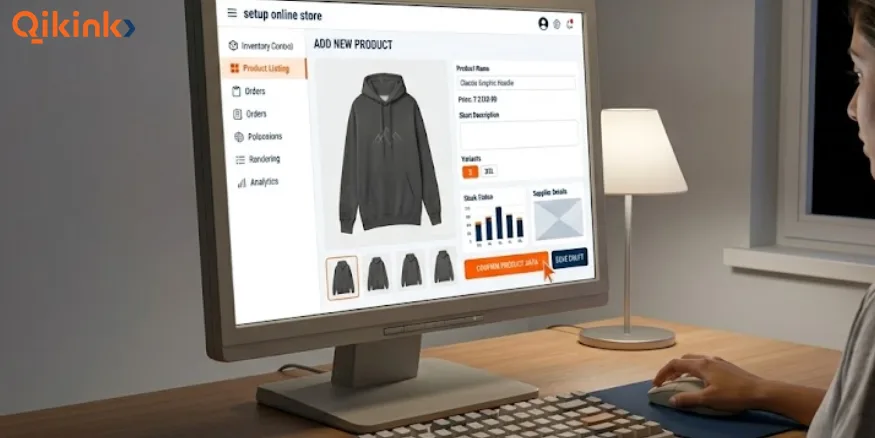
If you sell through your own online store, set it up so customers can understand the product, find the information they need, and complete a purchase easily. Sellers using only a marketplace or social channel may have a different setup, but they still need clear product information, pricing, customer support, and an easy buying process.
Choose a Domain and Store Platform
Choose a domain name that is easy to remember and relevant to your brand. For an independent store, you also need an e-commerce platform that supports product listings, payments, order management, and the integrations required for your business.
Tip
Qikink supports integrations with both Shopify and WooCommerce, allowing sellers to connect their store with their fulfilment workflow.
Create Clear Product Pages
Each product page should give customers enough information to decide whether to buy. Include the product name, key features, available sizes or variants, material or specifications where relevant, price, delivery information, and any important usage or care instructions.
If you sell customised products, explain what can be customised and show the available options clearly. Keep product descriptions specific to the item instead of filling them with general marketing claims.
Use Good Product Photos
Product photos should show the product clearly from useful angles and give customers a realistic idea of its size, colour, design, and appearance. Use consistent backgrounds and image quality across your store so the product catalogue is easy to browse.
For clothing and customised products, include both product-only images and photos showing the product being worn or used when this helps communicate its size and appearance. You can also include lifestyle images when they help customers understand how the product looks or is used.
Set Prices and Product Variants
Set a selling price that accounts for product cost, fulfilment, shipping, payment charges, marketplace or platform fees where applicable, taxes, and your expected margin. Do not set the price based only on what competitors charge.
Add every relevant variant, such as size, colour, design, or quantity, and make sure the price and availability are clear for each option. Incorrect variant information can lead to customer confusion and order problems.
Add Store Policies and Contact Information
Your store should clearly display information about shipping, returns, refunds, cancellations, and customer support. These policies should match how you actually fulfil and handle orders.
Add a working contact method so customers know how to reach you about an order or product question. Clear business and contact information also gives customers more confidence when purchasing from a new store.
Test the Checkout Before Launch
Place a test order before sending customers to your store. Check the product selection, variant options, pricing, shipping charges, payment methods, order confirmation, and customer notifications from start to finish.
Also check the store on a mobile phone. Product pages, menus, buttons, images, and checkout should remain easy to use on a smaller screen because many customers access online stores through mobile devices.
6. Set Up Payments
Your payment setup should give customers convenient ways to pay while allowing you to track payments and orders accurately. For e-commerce businesses in India, common options include UPI, cards, net banking, wallets, and Cash on Delivery (COD), depending on your selling channel and payment provider.
Offer the Right Payment Methods
UPI is widely used for online payments in India and can be offered through payment gateways or supported e-commerce platforms. Cards, net banking, and wallets can provide additional options for customers who prefer them.
COD can also be important for sellers serving Indian customers who prefer to pay when the order arrives. If you offer COD, account for additional charges, failed deliveries, and returns that can affect your actual order economics.
Connect a Payment Gateway
If you operate your own online store, connect a payment gateway that supports the payment methods you want to offer. The gateway processes the customer’s payment and transfers the settled amount to your linked bank account according to its settlement schedule and applicable charges.
Check the provider’s transaction fees, settlement period, supported payment methods, refund process, and onboarding requirements before choosing one. Marketplace sellers generally use the payment system provided by the marketplace rather than setting up a separate gateway for each transaction.
Check Payments Before Launch
Complete a test transaction before accepting real customer orders. Confirm that the payment is recorded correctly, the order status updates properly, and the customer receives the appropriate confirmation.
Also check how refunds, failed payments, cancellations, and COD orders are handled. Keeping payment records matched with your order records makes it easier to track revenue, costs, and outstanding amounts as your order volume grows.
Online Business With Small Budget
Learn to set up an online business while keeping initial costs under control
e-commerce Business Without Money →
7. Plan Shipping and Fulfilment
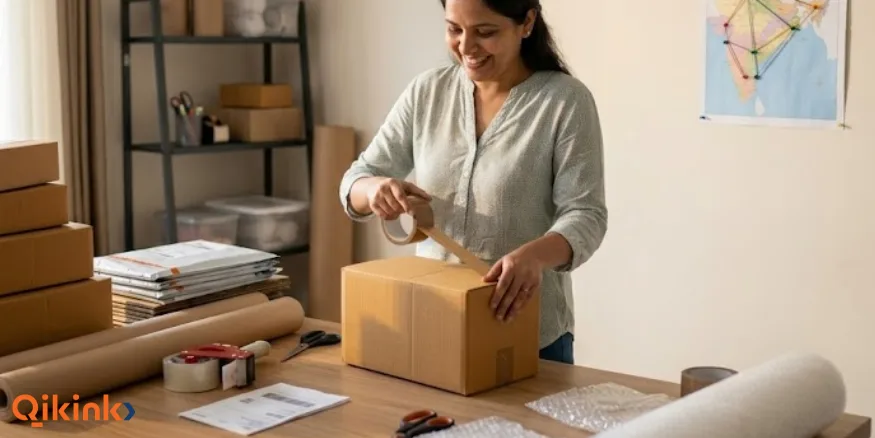
Shipping and fulfilment cover how an order is processed, dispatched, delivered, and handled if it is returned or fails to reach the customer. Before launching, decide how products will be shipped, what delivery timeline you can offer, how COD orders will be handled, and how returns will work.
- Choose Shipping Options: Set shipping options based on delivery speed, customer location, product size, and shipping cost. Make the expected delivery timeline clear before checkout.
- Plan for COD Orders: Include COD charges, failed deliveries, cancellations, and returned shipments when calculating your actual profit per order.
- Check Dispatch and Delivery Times: Keep processing time separate from courier delivery time. Set realistic delivery timelines based on your fulfilment method, destination, shipping service, and order processing time.
- Plan Returns and Order Issues: Decide how you will handle returns, damaged products, incorrect orders, cancellations, and failed deliveries before launching. Make your return policy clear and ensure it matches your actual fulfilment process.
Tip
With Qikink, 95% of orders are dispatched within 2–3 days. Returned orders can be stored for up to 100 days.
8. Check Legal and GST Requirements
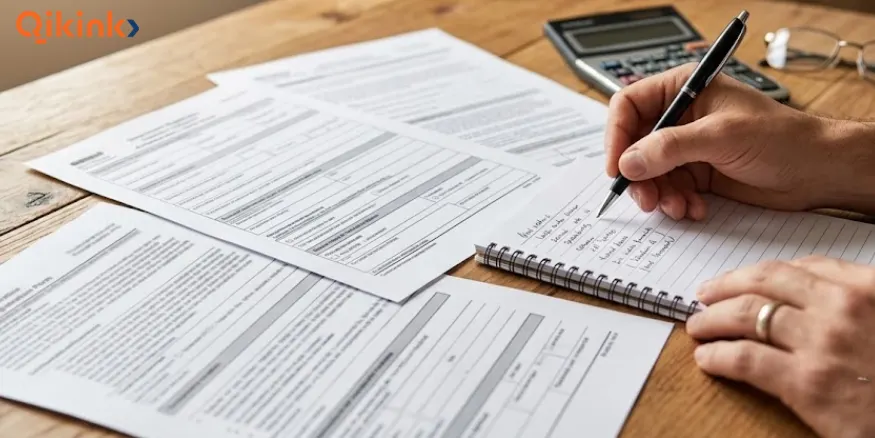
Before you start selling, check the GST and other legal requirements that apply to your business, product category, turnover, state, and selling channel. GST registration requirements can differ depending on how and where you sell.
GST Registration for Online Sellers
For suppliers exclusively dealing in goods, the GST registration threshold is generally ₹40 lakh, or ₹20 lakh in special category states, subject to applicable rules, conditions, and exceptions. Online sellers should also check separate registration provisions that may apply to supplies made through e-commerce operators.
Since October 1, 2023, eligible small suppliers of goods can make supplies through an e-commerce operator without GST registration, subject to specified conditions including intra-state supplies, the applicable turnover threshold, and obtaining an enrolment number from the GST portal.
The enrolment number is different from a GSTIN. Sellers should confirm their eligibility before selling through a marketplace without a GSTIN.
Business Structure and Licences
You do not need to incorporate a company simply to start selling products online. A sole proprietorship is one option for a beginner, while an LLP or private limited company may be relevant as the business grows or depending on ownership and liability requirements.
Product-specific licences or registrations may also apply to categories such as food, cosmetics, and other regulated products. Maintain records of sales, expenses, invoices, payments, refunds, returns, and applicable taxes from the beginning.
Note:
GST requirements depend on the seller’s specific situation, state, products, and selling channel. Confirm your registration requirement with a tax professional or the GST portal before assuming that you are exempt.
2027 update: The
Consumer Protection (E-Commerce) Amendment Rules, 2026
are scheduled to take effect on January 1, 2027. Marketplace sellers and e-commerce entities should review the applicable disclosure, grievance, ranking, and seller-information requirements before the rules take effect.
9. Market Your Products
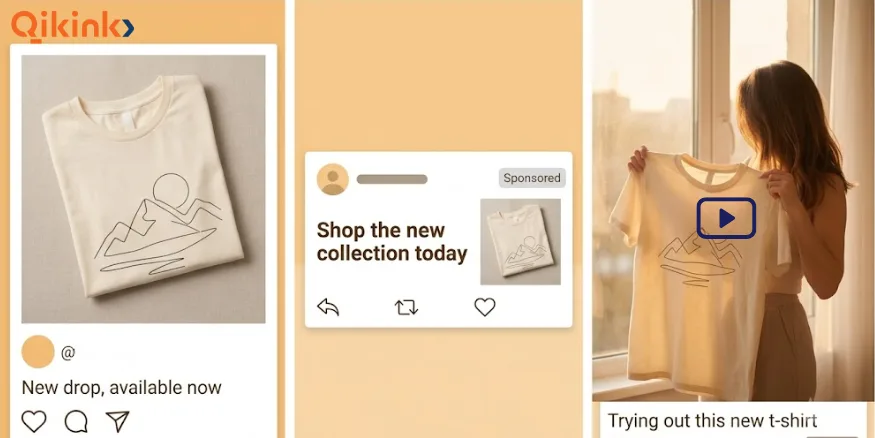
Marketing brings potential customers to your online store or product listings through channels such as social media, search, paid advertising, and creator partnerships. Start with one or two channels rather than trying everything at once. Depending on your product, this could include:
- Social media: Use product demonstrations, customer-focused content, and short-form videos to build awareness.
- Search: Optimise product pages and useful content so customers can find your products through search engines.
- Product listings and offers: Improve product titles, descriptions, images, pricing, and offers based on customer response and search behaviour.
- Paid advertising: Use targeted ads when you have a clear product, audience, and budget to test.
- Creator or affiliate partnerships: Work with relevant creators or communities when their audience matches your target customer.
Track which channels generate visits, enquiries, and orders. Put more effort into the channels that consistently bring relevant customers rather than simply chasing reach or follower counts.
10. Launch and Review Your Store
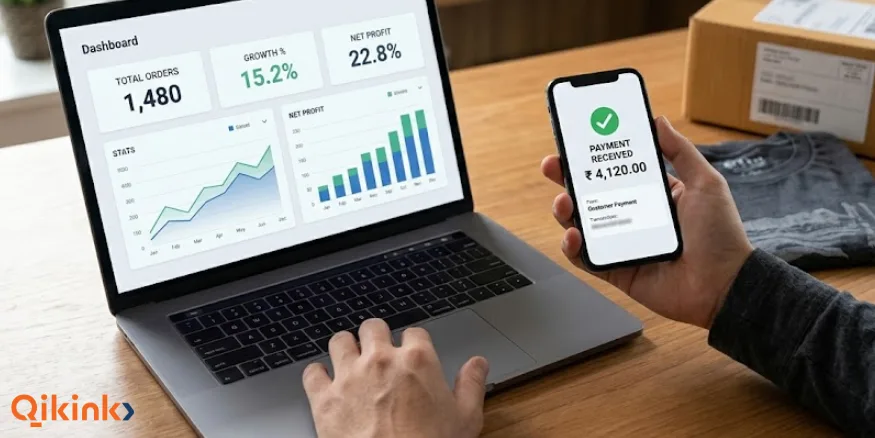
Before promoting your store or product listings, check that:
- Product information, images, prices, and variants are correct.
- Shipping charges, delivery timelines, and store policies are clearly displayed.
- Payment methods and checkout work correctly.
- Order confirmation and fulfilment processes have been tested.
- The store and checkout work properly on mobile devices.
Once orders start coming in, review your sales and customer data regularly to understand what is working and what needs to change. Track a small set of useful metrics, such as:
- Orders and revenue
- Conversion rate
- Average order value
- Customer acquisition cost, where applicable
- Returns and cancellations
- Product-level sales and margins
Use these results to improve your products, offers, marketing, and overall selling approach. For example, a product that gets traffic but few orders may need better positioning or pricing, while a product that sells consistently may justify expanding its variants or marketing budget.
Your first launch gives you real customer data, so use it to refine your products, pricing, marketing, and sales channels.
Benefits of Selling Products Online
Selling products online can help sellers reach more customers, start with a smaller physical setup, and use digital channels to test and grow their sales. These are some of the main benefits and advantages of selling products online:
- Wider customer reach: Online stores and marketplaces allow sellers to reach customers beyond their local area and sell across India or internationally.
- Lower physical infrastructure costs: Online selling can reduce the need for expenses associated with a physical retail store, such as shop rent and display space.
- Flexible selling models: Sellers can choose inventory-based selling, dropshipping, or print on demand based on their budget, product type, and fulfilment preferences.
- Easier product testing: Sellers can test products, prices, designs, and offers with customers before committing to larger inventory or physical infrastructure.
- Measurable performance: Online platforms provide data on visits, orders, conversion rates, product performance, and other metrics that can support business decisions.
Challenges of Selling Products Online
- Strong competition can make it difficult for new sellers to attract customers and differentiate their products.
- Marketing requires consistent time, effort, or spending because an online store does not automatically generate traffic.
- Shipping, payment charges, returns, failed deliveries, and other operating costs can reduce profit margins.
- Customers cannot physically inspect products before buying, making accurate product information, images, and descriptions important.
- Sellers still need to comply with applicable tax, consumer protection, product-specific, and record-keeping requirements.
How Much Does It Cost to Sell Products Online?
The cost of selling products online depends on the product, selling model, sales channel, fulfilment method, and marketing approach. You can start with a small budget, but online selling is rarely completely cost-free.
| Cost | What it Covers |
|---|---|
| Products | Manufacturing, sourcing, or purchasing inventory |
| Store or platform | Domain, e-commerce platform, hosting, marketplace fees, or commissions |
| Payments | Payment gateway transaction charges and other payment-related costs |
| Shipping and fulfilment | Packaging, delivery, order processing, returns, and failed deliveries |
| Marketing | Advertising, content, creator partnerships, and other customer acquisition activities |
| Testing | Samples, product photography, designs, and initial product testing |
The upfront cost varies significantly by selling model. Inventory-based selling usually requires more money because products are purchased before they are sold. Dropshipping or print on demand can reduce upfront inventory costs because finished products do not need to be purchased and stored in advance.
You can also start selling online for free or with very little upfront cost by using social media, marketplaces, or an inventory-free model such as print on demand. However, selling a product online for free does not always mean there are no costs at all, since payment processing, fulfilment, shipping, marketplace fees, or marketing may still apply.
For a smaller starting budget, focus on a limited product range, avoid unnecessary inventory, choose a suitable low-cost sales channel, and test demand before increasing your spending.
How to Sell Products Online Without a Website?
You do not need your own website to start selling products online. Marketplaces can handle product discovery and transactions, while social media and messaging channels can help generate enquiries and orders without requiring a standalone store.
Selling without a website means using another channel to handle product discovery and/or transactions. The main trade-off is that you have less control over the store experience and customer relationship.
Starting without a website can be useful for testing a product or sales idea before investing in a dedicated store. As the business grows, your own online store can provide greater control over product presentation, branding, checkout, and customer experience.
How to Sell Online Internationally From India?
Selling products internationally from India requires additional planning for cross-border shipping, destination-country requirements, payments, taxes or duties, and returns.
Start with a small number of target countries where there is suitable demand and where you can fulfil orders reliably. Before accepting orders, check the import rules, product restrictions, taxes, duties, and other requirements that apply in the destination country.
For physical goods exports from India, an Importer Exporter Code (IEC) is mandatory unless specifically exempted. Complete the applicable export documentation before shipping internationally. DGFT provides the applicable export and import requirements.
Your international selling price should account for:
- Product and fulfilment costs
- International shipping and payment charges
- Marketplace or platform fees
- Applicable taxes and duties
- Returns and other cross-border costs
Make delivery timelines, shipping charges, return conditions, and any customer-paid duties or taxes clear before purchase. After launch, review orders, delivery performance, returns, customer response, and profit by country to identify the markets worth expanding.
From Order to Delivery
Understand shipping modes, courier selection, packaging, and strategies
How e-commerce Shipping Works →
Frequently Asked Questions
1. How to Sell Products Online From Home?
2. How to Sell Products Online Without Inventory?
3. How to Sell Handmade Products Online?
4. What Is the Best Way to Sell Products Online in India?
5. Can I Sell Products Online Without a Business License?
6. How to Sell My Product Online Without a GST Number?
7. What Is the Easiest Way to Sell Products Online?
8. How to Start Selling Products Online?
9. How to Sell a Product Online for Free?
10. How to Sell Luxury Products Online?
Final Thoughts
Selling products online in India starts with choosing the right product and customer, but building a sustainable business requires getting the rest of the setup right too. Your selling model, sales channel, pricing, payments, fulfilment, and marketing all influence how efficiently you can turn customer interest into actual orders.
You do not need to build everything at once. Start with a manageable product range, test demand, understand your customers, and use actual sales data to improve your products, pricing, marketing, and selling approach. As your orders grow, you can expand the channels and processes that are working for your online product selling business.
For sellers who want to offer customised products without keeping finished inventory, Qikink provides production and fulfilment after an order is received. With no minimum order quantity, supported store integrations, and COD, Qikink gives sellers a practical way to put these steps into action while focusing on their products, brand, and customers.
Sign up & Start Selling Online →Read More
- Top Online Selling Platforms in India To Try: Guide
- How to Sell T-Shirts on Amazon: Earn from 1st Month
- How to Sell On Etsy from India: From Setup to Sales
- How to Sell on Instagram: Guide and Tips for Success
- WooCommerce vs Shopify: Which Works Perfectly
Share the Article


